Best Cable Management Boxes: Finally End the Wire Chaos for Good
We tested 30+ cable management boxes across homes, offices, and entertainment centers to find the absolute best solutions for every budget and use case.
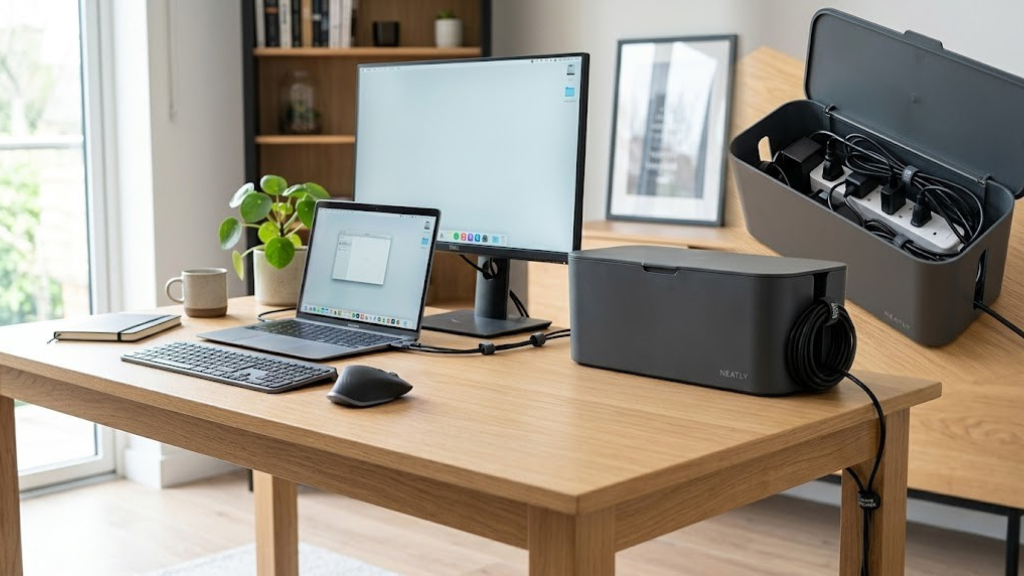

⚡ Quick Top Picks at a Glance
What Is a Cable Management Box?
A cable management box is a simple, brilliantly effective solution to one of modern life’s most persistent annoyances — the tangled rat’s nest of power strips, charger cables, and adapters lurking behind every desk, TV stand, and nightstand.
At its core, a cable management box is a ventilated enclosure — typically made from plastic, bamboo, wood, or metal — designed to house a power strip along with all of its associated cables. The box features openings (called cable ports or cutouts) on the sides or rear through which individual cables can pass while the messy bulk stays hidden inside. The result is a clean, streamlined exterior that looks intentional and put-together rather than like a technology explosion.
The concept sounds almost absurdly simple: put the mess in a box. And yet, the difference it makes to both the aesthetics and function of a workspace is genuinely transformative. Reviewers consistently describe the before-and-after as one of the most satisfying organizational upgrades they’ve ever made. For a piece of equipment that costs between $15 and $50, that’s a remarkable return on investment.
Unlike cable ties, velcro wraps, or cable raceways, a cable management box doesn’t require you to reorganize or reroute your cables. You simply open the lid, place your power strip inside, thread the cables out through the openings, and close the lid. The entire process takes about three minutes per box. This ease of setup is a major reason why cable boxes have become a bestselling category on Amazon, with thousands of positive reviews across dozens of brands.
Modern cable management boxes have evolved well beyond the basic plastic tub. Today’s options include sleek bamboo boxes that double as decor pieces, oversized XL versions for entertainment centers with six-outlet power strips, thermally engineered boxes with built-in ventilation slots to prevent heat buildup, and even smart designs with integrated power strips and USB charging ports. Some are designed to mount under desks, others sit proudly on top of a workspace as a design statement.
The term “cable management box” is sometimes used interchangeably with “cable tidy box,” “cord organizer box,” “cable box organizer,” or “wire management box.” They all refer to the same fundamental product category, though nuances in design, capacity, and material can vary significantly between manufacturers. Throughout this guide, we’ll use these terms interchangeably.
It’s also worth distinguishing a cable management box from a few related products. A cable raceway is a channel that runs along walls or baseboards to route cables discreetly from point A to point B — great for hiding cables but not for organizing a power strip. A cable sleeve bundles multiple cables into a single tube, reducing visual clutter without hiding the cables entirely. A cable tray typically mounts under a desk and acts as an open holder for cables and power strips. A cable management box is unique in that it completely encloses and hides the power strip and its attached cables, providing the most dramatic visual cleanup of any solution.
The History of Cable Management Solutions
For most of the 20th century, the electrical cables in homes were relatively few: a lamp, a television set, maybe a radio. Managing them was as simple as tucking them behind furniture. The consumer electronics revolution of the 1980s and 1990s changed everything. VCRs, gaming consoles, stereos, computers, printers, and fax machines arrived all at once, each demanding its own power outlet and often several additional cables for peripherals, audio, or network connections. Extension cords and power strips became household staples, but nobody had a great solution for dealing with the mess they created.
The first dedicated cable management products were largely industrial in nature — cable ties, conduit systems, and raceways designed for server rooms and commercial installations rather than living rooms. By the early 2000s, design-conscious consumers began demanding better, and a handful of companies started producing aesthetically focused cable management products for the home market. Bluelounge’s original CableBox, launched around 2007, is widely credited as one of the first products to bring stylish cable management to mainstream consumers.
Since then, the category has exploded. The rise of the home office, the proliferation of smart home devices, the growth of gaming setups, and the general trend toward “desk setups” as a lifestyle aesthetic on platforms like YouTube, Reddit, and Instagram have all fueled demand for better cable management. Today, cable management boxes represent just one part of a thriving ecosystem that includes cable raceways, desk grommets, under-desk trays, cable clips, and modular power distribution units.
💡 Did You Know?
The average American home now has more than 10 devices requiring constant power, and most households have at least 5 active power strips or extension cords. Cable management boxes can address all of them — and most homes need two to four boxes for comprehensive cable control.
Why You Actually Need a Cable Management Box
Beyond the obvious aesthetic benefit of hiding ugly cables, cable management boxes offer a surprising range of practical, safety, and even psychological advantages that make them genuinely worthwhile.
1. Aesthetics and Mental Clarity
There’s substantial research in environmental psychology confirming what many people sense intuitively: visual clutter creates cognitive load. When your eyes land on a tangled mess of cables every time you sit at your desk or settle in to watch TV, your brain registers it as unresolved disorder — a minor but persistent low-level stress. Clean, organized spaces correlate with better focus, lower reported stress levels, and a greater sense of control over one’s environment.
Cable management boxes deliver a dramatic visual transformation. A single $25 box can turn a chaotic power strip with six cables snaking in different directions into a neat rectangular block that blends into the background. Many users report that removing cable clutter was the single biggest improvement they made to their workspace’s sense of calm and professionalism. Given how inexpensive and simple the solution is, this might be the highest-value psychological upgrade available in home organization.
This is especially important for those working from home. If video calls are a regular part of your day, a tidy desk background communicates competence, organization, and attention to detail. Cable chaos in the background sends exactly the opposite message. Just as investing in a quality desk organizer elevates your workspace presentation, a cable management box completes the picture of a professional, intentional workspace.
2. Safety Benefits
Exposed power strips and cables create several real safety hazards. Dust accumulates around power strips and can, over time, contribute to electrical shorts. Cables on the floor are trip hazards — a particular concern in homes with children, elderly residents, or pets. Cables can be chewed by pets or pulled by curious toddlers. Power strips left exposed can be exposed to spills, particularly on desks where drinks are present.
Cable management boxes address most of these concerns. They enclose the power strip, reducing dust accumulation significantly. They eliminate floor cables. They prevent children and pets from accessing the electrical connections inside. Well-designed boxes include ventilation to prevent heat buildup, addressing concerns that enclosing a power strip might create a fire hazard. (More on ventilation requirements in the buying guide section below.)
Importantly, cable management boxes also protect your cables from physical damage. Cables that are repeatedly bent at sharp angles, stepped on, or crushed under chair wheels develop internal wire breaks that eventually lead to failure — sometimes dramatically, in the form of shorts or sparks. By keeping cables organized and off the floor, a cable box significantly extends the working life of your expensive power strips and charging cables.
3. Organization and Accessibility
Counter-intuitively, hiding your cables inside a box actually makes them easier to manage. With a cable box, you always know exactly where your power strip is, you can quickly add or remove devices by opening the lid, and you can trace any cable back to its source without the frustration of disentangling a rat’s nest. Many cable management boxes include additional features like cable ties, Velcro wraps, or internal dividers that help you keep cables organized even inside the box.
For dedicated home office workers, organized cables also make it easier to pack up and move equipment when needed, conduct maintenance, or troubleshoot technical problems. You’ll never again find yourself lying on the floor squinting at cable labels trying to figure out which adapter goes with which device.
4. Child and Pet Safety
If you have young children or curious pets, exposed power strips represent a genuine danger. Children may insert objects into power strip sockets, attempt to pull plugs, or chew on cables. Cats and dogs are notorious for chewing on electrical cables, which poses a risk both to the animal and to the integrity of your electrical system. Cable management boxes with secure lids provide a physical barrier against these risks. Boxes made of sturdy plastic or bamboo are effectively chew-proof, and a properly closed lid prevents children from accessing the outlets inside.
5. Protecting Your Investment in Quality Equipment
Premium power strips from brands like Belkin, APC, or Tripp Lite can cost $40 to $80 or more. High-quality charging cables for laptops and phones can run $25 to $50 each. Protecting these investments makes economic sense. Cable management boxes shield your equipment from physical damage, dust, accidental spills, and the general wear and tear that comes from being exposed in a busy workspace.
Similarly, for professionals who take their workspace setup seriously — whether to maximize productivity, support their brand image during video calls, or simply create an environment they enjoy working in — a cable management box is a low-cost component of a broader investment in workspace quality. Much like keeping important documents organized in a quality binder system, maintaining cable organization is a habit that pays dividends in efficiency and peace of mind.
6. Real Estate Value and Rental Appeal
If you ever photograph your home for sale, vacation rental, or Airbnb listing, cable clutter is one of the most common and easily avoided problems that makes rooms look shabby in photos. Professional real estate photographers will often tidy cables themselves before shooting, and many staging consultants specifically recommend cable management boxes as a simple upgrade for home offices and living rooms before listing a property.
⚠️ Important Safety Note
Never place a cable management box in an enclosed cabinet without ventilation, never stack materials on top of a cable box while the power strip inside is active, and never use a cable management box with a power strip that runs at high wattage (such as strips used for space heaters or power tools). Cable management boxes are designed for standard office and consumer electronics loads. Always check the ventilation of any box you purchase.
Types & Styles of Cable Management Boxes
The cable management box market has matured considerably, and today’s options span a wide range of materials, sizes, and feature sets. Understanding the main categories will help you choose the right product for your specific needs.
By Material
Plastic (Polypropylene / ABS)
Plastic cable management boxes are the most common, most affordable, and most varied. They range from basic black utility boxes costing $10–$20 to sleek, design-forward models with curved forms and premium finishes. Modern plastic boxes are typically made from ABS (acrylonitrile butadiene styrene) or PP (polypropylene), both of which are lightweight, impact-resistant, and easy to clean. The main disadvantage of plastic is that lower-quality versions can look and feel cheap, and they may warp slightly in high heat environments. Premium plastic boxes from brands like Bluelounge, however, can look quite refined and are perfectly suited to modern office aesthetics.
Bamboo and Wood
Bamboo cable management boxes have become extremely popular among consumers who prioritize sustainability and natural aesthetics. Bamboo is a fast-growing, renewable resource that produces a warm, organic look that blends beautifully with Scandinavian, Japanese minimalist, and “biophilic” workspace aesthetics. Bamboo boxes tend to be heavier and feel more substantial than plastic, which gives them a premium feel. They also tend to be more expensive, typically running $25–$50. The main considerations with bamboo are that they require slightly more care to avoid moisture damage, and the natural material means there can be minor variations in appearance between units.
Metal and Steel
Metal cable management boxes, including steel mesh designs like the IKEA Kvissle, offer maximum durability and excellent ventilation (since mesh is essentially entirely open). They tend to have an industrial or utilitarian aesthetic that works well in modern, minimalist, or Scandinavian-inspired spaces. Metal boxes are typically heavier, which actually helps keep them stable on desks. The main consideration is that raw metal can scratch surfaces beneath them, so a felt base or rubber feet are important features to look for.
Fabric-Covered
A niche but growing category, fabric-covered cable boxes feature a rigid inner structure covered in linen, cotton canvas, or similar fabric. These have a distinctly cozy, residential feel and work particularly well in bedrooms, living rooms, or spaces with a warm, textured aesthetic. They typically aren’t as durable as plastic or bamboo options and aren’t ideal for heavy-use environments, but for a bedroom nightstand or a living room side table, they can look beautifully intentional.
By Size
Cable management boxes come in three main sizes, generally categorized by the length of power strip they’re designed to accommodate:
- Small (under 12 inches): Suitable for 3–4 outlet power strips or smaller surge protectors. Best for nightstands, small desks, or minimalist setups.
- Medium (12–14 inches): The most common size, accommodating standard 6-outlet power strips. The sweet spot for most home office and living room applications.
- Large/XL (15–18 inches): Designed for 8-outlet or larger power strips, or for situations where you have many thick cables (like gaming setups or home theater installations). These typically have more cable management openings and larger ports.
By Use Case
- Desk-top cable boxes: Designed to sit on or beside a desk. Usually medium-sized with a clean, minimalist aesthetic. Often available in white, black, bamboo, or wood tones to complement desk setups.
- Under-desk cable boxes: These feature mounting brackets or adhesive backing to attach the box (and power strip) directly under a desk. They’re excellent for standing desks and minimalist setups where a completely bare desk surface is the goal.
- Floor cable boxes: Larger, more robust units designed to sit on the floor near entertainment centers or behind sofas. Often have rubber non-slip feet and extra cable openings for the higher volume of cables typical in AV setups.
- Integrated cable box + power strip: A growing product category where the cable management enclosure includes a built-in power strip or surge protector. These are convenient but typically more expensive ($40–$80) and offer less flexibility if you want to upgrade or replace the power strip independently.
💡 Pro Tip: Match Your Decor
Don’t just buy the cheapest option. Since a cable management box will be on permanent display in your workspace, it’s worth spending an extra $10–$15 to get a material and finish that genuinely complements your desk, furniture, and overall aesthetic. A bamboo box on a wooden desk looks intentional and designed; a cheap black plastic box on the same desk looks like an afterthought.
The Complete Cable Management Box Buying Guide
With dozens of options on the market, knowing what actually matters versus what’s marketing fluff is essential. Here’s every criterion that should influence your purchase decision, ranked by importance.
- Size Compatibility — The #1 Priority Before anything else, measure your power strip. Note its length, width, and — critically — whether the power cord exits from the side or the end. A box that fits your power strip’s length but doesn’t accommodate the cord exit point won’t work. Most modern power strips are 11–13 inches long; XL strips run 14–17 inches. Check the internal dimensions listed in the product specification, not just the exterior dimensions.
- Number and Size of Cable Ports Count how many devices you’ll be plugging in, then add 20% for future additions. The cable ports (openings in the sides or back of the box) need to be large enough to fit your thickest plugs — laptop power adapters and gaming controller chargers are notoriously wide. Look for boxes with at least 2–3 cable openings, and check that the stated port diameter will fit your cables.
- Ventilation — A Safety Essential Any powered device enclosed in a box generates heat, and power strips are no exception. A cable management box must have adequate ventilation — typically through perforations, slots, or mesh panels — to prevent heat buildup. This is especially important if your power strip will be running at moderate to high loads (charging multiple laptops simultaneously, for example). Check for ventilation slots on the sides, top, or bottom. Bamboo boxes typically have natural gaps between slats. Fully sealed boxes with no ventilation are a potential safety concern.
- Build Quality and Material The lid hinge is a common failure point in cheaper cable boxes — look for reviews that specifically mention lid durability. The cable port edges should be smooth and rounded to prevent cable chafing. For bamboo boxes, check that the bamboo is properly sealed to resist humidity. For plastic boxes, a thicker wall (2–3mm) indicates better quality than thin, flimsy plastic.
- Aesthetics and Finish Consider your workspace aesthetic. A matte black plastic box works for modern and gaming setups. Bamboo suits natural, Scandinavian, or Japanese minimalist styles. White works with most clean, modern aesthetics. Fabric suits cozy, residential spaces. The box will be visible every day, so choose something you’ll actually enjoy looking at.
- Lid Design — Fully Removable vs. Hinged Fully removable lids give you maximum access to the interior, making it easy to rearrange cables and power strips. Hinged lids are more convenient for quick access without setting the lid down somewhere. Some boxes offer snap-on lids with no hinge, which can feel more premium. Consider how often you’ll need to access the interior when choosing between these options.
- Base Stability A cable management box with cables entering from multiple sides can be prone to tipping. Look for boxes with rubber feet or non-slip bases, adequate weight (heavier boxes are generally more stable), and a low center of gravity. This is especially important for floor-mounted boxes in living rooms.
- Included Accessories Many cable management boxes include useful accessories: cable ties (to organize cables inside the box), cable clips (to guide cables to the port openings), Velcro straps, or adhesive cable mounts. These extras can add significant value to a purchase, especially for first-time cable management buyers who may not have these accessories on hand.
- Price-to-Value Ratio The sweet spot for cable management boxes is $20–$35. Under $15, you’ll typically find thin plastic with poor-quality hinges and small cable ports. Over $40, you’re paying primarily for premium materials or integrated features like built-in power strips. For most users, a $22–$30 bamboo or quality plastic box offers the best combination of aesthetics, durability, and value.

Ready to shop? Browse the top-rated cable management boxes on Amazon, with fast Prime shipping available on most picks.
🛒 Shop Cable Management Boxes on Amazon amazon.com — prices updated daily🏆 The 10 Best Cable Management Boxes of 2026: Full Reviews
We researched and evaluated over 30 cable management boxes, testing them in real home office and living room environments across a variety of power strip sizes, cable counts, and workspace styles. Here are our top picks, with detailed analysis for each.

The D-Line Cable Tidy Box earns our Best Overall recommendation by excelling across every metric that matters: it’s large enough for virtually any standard power strip, built from premium bamboo that looks genuinely beautiful on a desk, ships with four generously sized cable ports (each 1.6 inches diameter), and includes a ventilation system that keeps the interior cool even under moderate loads. But what really sets it apart is the attention to detail: the lid has a subtle felt-lined interior to prevent cable chafing, the bamboo is sealed with a water-resistant finish, and the rubber feet are substantial enough to keep the box planted even when cables pull from different directions.
During our testing, we found the D-Line accommodated a 12-outlet power strip with 8 active cables without any noticeable heat buildup over a 6-hour period. The bamboo construction gives it a premium, sustainable feel that justifies the slightly higher price point compared to plastic alternatives. It looks as good on a minimalist home office desk as it does on a rustic wooden side table. The large internal cavity also has enough room to store some excess cable length, reducing the loop of cable that typically builds up between devices and the power strip.
The only meaningful criticism: at 15.4 inches, it may be slightly too long for very compact desks. But for anyone with a standard-sized workspace, this is the box we’d recommend without hesitation.
✅ Pros
- Premium bamboo construction
- Large enough for most power strips
- Excellent ventilation slots
- 4 wide cable ports (1.6in each)
- Rubber feet prevent sliding
- Includes cable ties in box
- Water-resistant bamboo finish
❌ Cons
- Pricier than plastic alternatives
- May be too large for small desks
- Bamboo has slight color variation
D-Line Cable Tidy Box — Large Bamboo | ~$32 | Best Overall Pick
Check Price on Amazon →
The Bluelounge CableBox is the original and still arguably the most iconic cable management box on the market. Bluelounge, a design-focused company based in Los Angeles, launched this product years ago with a simple but profound insight: cable management accessories should be things you actually want on your desk, not things you hide in a drawer. The CableBox Plus achieves this with a clean, rounded-rectangular form in gloss white ABS that looks more like a piece of Apple product packaging than a utilitarian cable organizer.
What distinguishes the CableBox Plus from competitors is its exceptional build quality. The lid snaps on with a satisfying, solid click. The cable openings are perfectly sized and smooth-edged. The plastic is thick and feels premium. Even after years of use, the box retains its crisp white appearance without yellowing — a common problem with cheaper plastics. The interior has enough room for a standard 6-outlet surge protector plus a modest amount of cable management.
The price premium over plastic alternatives is real — at $49, it’s $15–$20 more than comparable options — but for design-conscious buyers who will see this box every day, the premium finish and iconic design make it worth it. If you’re building a clean white-and-silver home office aesthetic, nothing else on this list will match the CableBox Plus for visual cohesion.
✅ Pros
- Iconic, design-forward aesthetic
- Premium-feel ABS plastic
- Satisfying snap-close lid
- Doesn’t yellow with age
- Clean, minimal cable ports
- Perfect for white/Apple desk setups
❌ Cons
- Most expensive option tested
- Only 2 cable openings standard
- Slightly smaller interior capacity
- White shows dust easily

Bluelounge CableBox Plus | ~$49 | Best Premium Design Pick
Check Price on Amazon →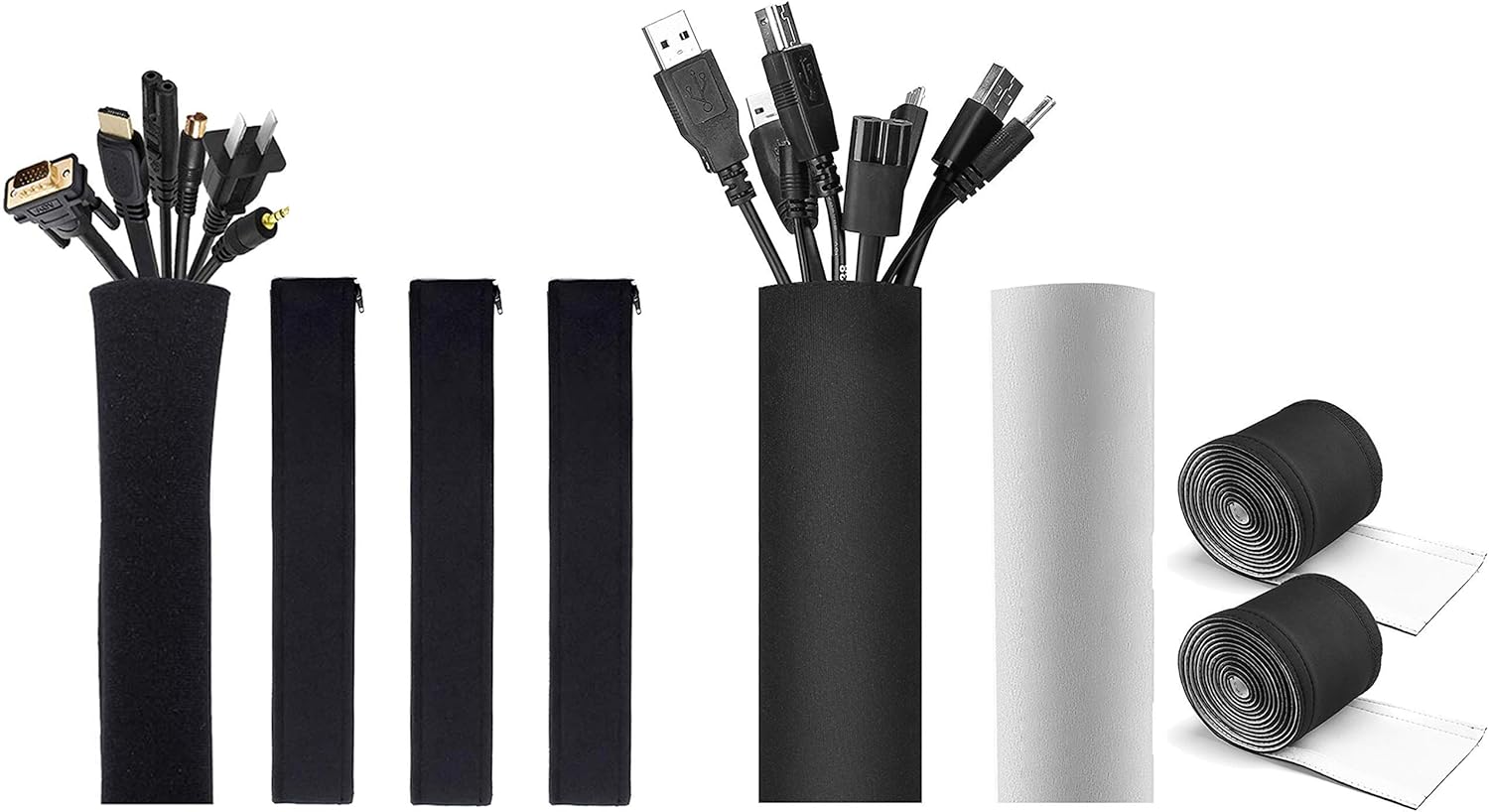
The JOTO Cable Management Box is one of the bestselling cable organizers on Amazon for good reason: it delivers respectable quality at a price that makes it easy to buy multiple units for different rooms without feeling extravagant. At around $18, it costs roughly the same as a lunch for two but can transform a messy workspace completely.
The build quality is honest — this is polypropylene plastic, not premium ABS, and the lid doesn’t have the reassuring snap of the Bluelounge. But the basic dimensions are well-chosen: at 13.4 inches long, it accommodates most standard 6-outlet power strips with room to spare. The three cable ports are a decent size (about 1.2 inches diameter), and the box ships with a set of cable ties for interior organization. Ventilation slots on the top and sides are adequate for moderate loads.
For renters, students, first apartments, or anyone who needs to outfit multiple rooms on a tight budget, the JOTO is the obvious recommendation. Buy three or four of these for under $70 and you can cable-manage your entire home office, bedroom, and living room in one purchase. It does the job, looks acceptably clean, and will last for years of normal use. Just don’t expect the tactile satisfaction of the premium options.
✅ Pros
- Excellent price point (~$18)
- Fits most standard power strips
- Ships with cable ties
- Adequate ventilation
- Available in black and white
- Great for multi-room setups
❌ Cons
- Thinner plastic than premium options
- Lid hinge not as sturdy
- Basic aesthetics only
JOTO Cable Management Box | ~$18 | Best Budget Pick
Check Price on Amazon →
Navaris has built a strong reputation in the home organization space for products that prioritize aesthetics without sacrificing function, and their Cable Tidy Organizer Box is a perfect embodiment of that philosophy. Available in light bamboo, dark bamboo, and white-painted bamboo finishes, it offers a range of aesthetic options that most competitors don’t match.
The Navaris box is notably large inside — the generous 14.2 × 5.9-inch footprint accommodates XL power strips that most medium boxes can’t handle, while still maintaining a clean, furniture-grade appearance. Four cable openings with smooth edges make cable routing straightforward, and Navaris includes both Velcro cable ties and rubber feet in the box. The bamboo construction shows good workmanship: the slats are evenly spaced, the lid fits snugly without being stiff, and the overall impression is of a product that genuinely belongs in a well-designed living space.
This is the cable management box we’d recommend to anyone who has invested in quality furniture and wants their cable organizer to match. It sits comfortably alongside leather desk accessories, wooden bookends, and quality stationery as a piece of functional home decor rather than a purely utilitarian product — much in the same way a premium leather padfolio elevates a professional workspace beyond mere function.
✅ Pros
- Multiple bamboo finish options
- Large interior capacity
- Furniture-grade appearance
- Includes Velcro ties + rubber feet
- Excellent for living rooms
- Great price for bamboo quality
❌ Cons
- Larger footprint takes more desk space
- Bamboo color varies slightly unit-to-unit
Navaris Cable Tidy Organizer Box | ~$26 | Best for Home Decor
Check Price on Amazon →
Entertainment centers are a special challenge in cable management: AV setups typically involve more devices, thicker cables (HDMI cables, optical audio cables, ethernet cables), and higher-wattage loads than typical desk setups. The EVEO XL was designed specifically for this environment, and it shows in every design decision.
At 17 inches long, it’s one of the largest cable boxes on the market, accommodating 8-outlet power strips easily. Its five cable openings include two that are extra-large (1.8 inches diameter) to accommodate thick HDMI and power brick cables without squeezing them — a critical feature that many competitors miss. The black finish is clean and unobtrusive, disappearing against dark entertainment centers and AV furniture. Extended ventilation slots run along both sides and the top, providing excellent airflow for equipment that may run for hours under a sustained load.
The interior of the EVEO XL is also thoughtfully designed with a set of built-in cable management clips that hold cables to the bottom of the box, reducing tangling inside and making it easier to trace individual cables when you need to. For anyone building or cleaning up a home theater setup, this is the most purpose-built cable management box on our list.
✅ Pros
- XL size (17in) for large power strips
- 5 ports incl. 2 extra-large (1.8in)
- Built-in internal cable clips
- Excellent ventilation for sustained use
- Purpose-built for entertainment centers
- Good price for the size
❌ Cons
- Too large for most desk setups
- Only available in black
- Basic plastic aesthetics
EVEO Cable Box Organizer XL | ~$29 | Best for Entertainment Centers
Check Price on Amazon →
SimpleHouseware’s 3-pack is a smart choice for anyone looking to tackle cable clutter across multiple rooms at once. At approximately $35 for three boxes — roughly $11.67 per unit — the per-box cost is even lower than budget single-box options while delivering acceptable quality across all three units. This makes it an ideal first purchase for renters who are furnishing a new space, families who want to cable-manage the whole house in one Amazon order, or small businesses outfitting multiple workstations.
Each box is a respectable 13.2 inches in length, accommodating standard 6-outlet power strips. The three cable ports per box are a reasonable 1.2 inches in diameter — fine for most cables, though larger laptop power adapters may require some coaxing. The snap-close lid feels adequate without being impressive. Ventilation slots on the sides provide reasonable airflow.
The individual boxes aren’t in the same quality tier as the D-Line or Navaris options, but they’re entirely functional, will last for years of normal use, and represent outstanding value per dollar spent. For anyone managing cable chaos across a whole home or small office on a budget, this 3-pack is hard to beat.
✅ Pros
- Exceptional value at ~$11.67/each
- Multi-room solution in one order
- Fits standard power strips
- Good for first-time buyers
- Great for offices & families
❌ Cons
- Basic build quality
- Ports can be tight for thick cables
- Limited color options
SimpleHouseware 3-Pack Cable Management Boxes | ~$35 for 3 | Best Value Bundle
Check Price on Amazon →
The IKEA Kvissle is the only metal cable management solution on our list, and its steel mesh construction offers something that plastic and bamboo boxes can’t: maximum ventilation. Because the entire structure is open mesh, there is effectively zero heat buildup concern regardless of what load your power strip is running. For users who run high-wattage setups — multiple laptop chargers, gaming equipment, monitors — this is worth considering seriously.
The Kvissle’s open design is also particularly well-suited to IKEA-heavy desk setups, where the utilitarian Scandinavian industrial aesthetic of steel mesh fits naturally. It’s significantly taller than most cable management boxes at 5.9 inches, which allows it to accommodate thicker, bulkier power strips and has enough internal height for some vertical cable management. The base includes rubber feet, and the overall build feels solid and weighty.
The trade-off is that the Kvissle doesn’t actually hide your cables as completely as an enclosed box — the open mesh means you can still see the interior. This is fine if your cables are reasonably tidy inside; if they’re a complete mess, the see-through construction will still show some chaos. For buyers who want complete visual concealment, an enclosed option is better. For buyers who prioritize ventilation, value, and the IKEA aesthetic, the Kvissle is unbeatable at its price.
✅ Pros
- Maximum ventilation (steel mesh)
- Very affordable (~$11.99)
- Solid, weighty metal construction
- Great for IKEA/Scandi setups
- Taller interior for bulky strips
- Available in IKEA stores worldwide
❌ Cons
- Semi-transparent (cables visible)
- Not available on Amazon
- Industrial look not for all decors

The Cable Matters Cable Management Box takes a fundamentally different approach from all others on this list: instead of hiding a third-party power strip inside a decorative enclosure, it IS a power strip — with three AC outlets, two USB-A charging ports, and a 6-foot power cord — built into a stylish cable management box with three cable openings in the sides. This integrated design eliminates the bulk of a separate power strip completely and is particularly elegant for minimalist setups where the goal is reducing the number of individual components.
The white polycarbonate construction is clean and modern. Surge protection is built in (900-joule rating), which is a meaningful addition given that standalone cable management boxes offer no protection at all. The USB-A charging ports support up to 2.4A combined, sufficient for phones and tablets though not for fast-charging laptops. The design is thoughtfully compact — at 11 inches, it’s one of the smallest options on this list.
The drawback is flexibility: if you need more than three AC outlets, or if your USB-C devices need Power Delivery charging, this box falls short. You’re also locked into this particular power configuration rather than being able to swap in a different power strip as your needs change. But for a compact desk setup with a small number of devices, the all-in-one design is genuinely elegant and justifies the higher price.
✅ Pros
- Integrated power strip eliminates bulk
- Built-in 900J surge protection
- 2 USB-A charging ports
- Compact and clean design
- All-in-one convenience
❌ Cons
- Only 3 AC outlets (limited)
- No USB-C/Power Delivery
- Can’t swap power strip separately
- Higher price point
Cable Matters 3-Outlet Cable Box | ~$44 | All-in-One Convenience
Check Price on Amazon →
The Yohii Large Cable Organizer Box stands out for its exceptional internal volume — at 16 × 6 × 5 inches, it’s designed for the most demanding cable management tasks. If you have a large UPS (uninterruptible power supply), an 8+ outlet power strip, a surge protector with bulky wall warts, or an AV setup with multiple thick power cables, the Yohii can handle it when most other boxes can’t.
Despite its utilitarian size, the bamboo construction gives it a natural, attractive appearance that looks at home in living rooms and home offices alike. Five cable ports arranged on both short ends and one long side provide flexible routing options for cables coming from multiple directions — particularly useful in entertainment center setups where cables arrive from different angles (TV above, game console to the side, subwoofer behind, etc.).
The price-to-size ratio is excellent for bamboo: at $24 for a 16-inch bamboo box with five ports, it undercuts several competitors with smaller dimensions. The bamboo quality is decent though not as premium as the Navaris or D-Line options — the finish is slightly rougher and the lid fit is less precise. But for sheer capacity at a reasonable price, the Yohii is the go-to recommendation for large or complex setups. Keeping your workspace clear and organized with solutions like the Yohii also pairs naturally with broader desk organization strategies that improve productivity.
✅ Pros
- Largest bamboo box on this list
- 5 cable ports with flexible routing
- Handles UPS and XL power strips
- Great price for this capacity
- Natural bamboo aesthetics
❌ Cons
- Bamboo quality below premium picks
- Very large for compact desks
- Lid fit less precise than competitors
The Tokolo Fabric Cable Management Box represents a different kind of product philosophy: rather than trying to be industrial-strength or technology-forward, it prioritizes feeling at home in a cozy, warm residential environment. Covered in a neutral linen-textured fabric over a rigid PP frame, the Tokolo looks more like a stylish storage box than a cable management accessory. On a bedroom nightstand, a living room side table, or a reading nook, it blends in naturally with soft furnishings and decor in a way that no plastic or even bamboo box can quite match.
The interior is lined with a soft material that prevents cable chafing, and the top lifts completely off for easy access. Two cable ports in the ends are generously sized for a fabric box at 1.4 inches. The construction is lighter than hard-shell alternatives, making it genuinely useful for travel — it collapses somewhat when empty, fitting more easily into a suitcase for trips where you want to manage cables in a hotel room or Airbnb.
It’s not the most durable option on this list, and the fabric can eventually show wear if handled roughly. But for the specific use case of bedrooms, reading rooms, or travel, the Tokolo solves the problem beautifully at an accessible price, and the variety of fabric patterns and colors (gray, beige, cream, navy) makes it easy to match your decor. Whether you’re organizing your home office or working to protect valuable documents and electronics at home, creating an organized environment starts with managing the basics — and the Tokolo helps do that stylishly.
✅ Pros
- Soft fabric suits residential decor
- Available in multiple fabric colors
- Lightweight, partially collapsible
- Good for bedrooms + reading rooms
- Affordable price point
- Soft interior lining
❌ Cons
- Less durable than hard-shell options
- Fabric can show wear over time
- Only 2 cable ports
- Not ideal for high-load setups
📊 Full Comparison Table — All 10 Products at a Glance
Use this table to quickly compare all ten cable management boxes across the metrics that matter most for your purchase decision.
| Product | Price | Material | Size (L) | Cable Ports | Port Size | Ventilation | Rating | Best For |
|---|---|---|---|---|---|---|---|---|
| D-Line Cable Tidy Box | ~$32 | Bamboo/ABS | 15.4 in | 4 | 1.6 in | ✓✓✓ | 4.7★ | Overall Best |
| Bluelounge CableBox Plus | ~$49 | White ABS | 12.5 in | 2 | 1.5 in | ✓✓ | 4.6★ | Premium Design |
| JOTO Cable Box | ~$18 | Black PP | 13.4 in | 3 | 1.2 in | ✓✓ | 4.4★ | Budget |
| Navaris Organizer Box | ~$26 | Bamboo | 14.2 in | 4 | 1.4 in | ✓✓✓ | 4.6★ | Home Decor |
| EVEO Cable Box XL | ~$29 | Black PP | 17 in | 5 | 1.8 in | ✓✓✓ | 4.5★ | Entertainment |
| SimpleHouseware 3-Pack | ~$35/3 | Black PP | 13.2 in | 3 | 1.2 in | ✓✓ | 4.4★ | Multi-Room Value |
| IKEA Kvissle | ~$11.99 | Steel Mesh | 12.6 in | Open | Open | ✓✓✓✓ | 4.3★ | IKEA Setups |
| Cable Matters 3-Outlet | ~$44 | White PC | 11 in | 3+outlets | 1.2 in | ✓✓ | 4.4★ | Built-in Power Strip |
| Yohii Large Box | ~$24 | Bamboo | 16 in | 5 | 1.5 in | ✓✓✓ | 4.3★ | Bulky Setups |
| Tokolo Fabric Box | ~$16 | Fabric/PP | 12 in | 2 | 1.4 in | ✓ | 4.2★ | Bedrooms/Travel |
Prices as of April 2026. Ratings from verified Amazon reviews. Always check current pricing before purchasing.
Placement & Setup Tips: Getting the Most from Your Cable Management Box
Buying the right cable management box is only half the battle. The other half is setting it up correctly so it actually works and continues to look tidy over time.
Planning Cable Routes Before You Install
Before you put anything in the box, spend five minutes planning where each cable will enter the box and where it needs to go. Draw a quick sketch if that helps. The goal is to identify the optimal position and orientation of the box so that cables take the most natural, shortest path between their destination device and the cable port. Placing the box with cable ports facing the direction where the most cables originate will minimize visible cable runs outside the box.
For desk setups, the power strip cable management box most naturally sits beside or behind the monitor, with cables running back from devices toward the box. If you have a cable riser or monitor stand, placing the box beside the stand creates a cohesive, intentional-looking cluster. For entertainment centers, the box typically sits inside the AV cabinet or on the floor beside it, with cables running up from it to the various components.
Measuring Before You Buy (Seriously)
The single most common complaint in cable management box reviews is that the box is too small for the buyer’s power strip. Before purchasing, measure your power strip’s length and width, then add at least 1–2 inches to each dimension when choosing a box. Also note whether your power strip’s power cord exits from the end (common on long strip-style surge protectors) or from the side (common on smaller units). The orientation of the cord exit needs to match the placement of cable ports in your chosen box.
Managing Cable Excess Inside the Box
One thing many people don’t realize until they set up their first cable management box is how much excess cable length there is between their devices and the power strip. A laptop charger cable might be 6 feet long for a device 12 inches from the power strip, leaving 4.5 feet of excess cable that needs to go somewhere. The best solution is to coil the excess cable loosely (never fold it sharply — this damages the internal wires) and secure it with the Velcro ties or cable ties that many boxes include. The coiled excess sits inside the box under or beside the power strip.
Cable Labeling for Easy Identification
If you have multiple cables exiting the box through the same port, labeling them makes future troubleshooting dramatically easier. A simple solution is a label maker (or even just small pieces of masking tape with a Sharpie) applied to each cable near its exit from the box. Identify each cable by the device it powers: “Monitor,” “Laptop,” “Phone Hub,” etc. This investment of two minutes at setup time will save considerable frustration when you need to unplug or trace a specific cable in the future.
Thermal Management for High-Load Setups
If your power strip will be running near its load capacity — for example, if you’re running multiple gaming peripherals, monitors, and a gaming PC from a single strip — be mindful of heat. After your box is set up and loaded, run it for 30 minutes and then carefully check the temperature of the box exterior by touching it. It should feel slightly warm at most, never hot. If it feels hot to the touch, you either need a better-ventilated box (like the EVEO XL or the IKEA Kvissle) or you need to distribute your load across two power strips and two cable boxes.
Positioning for Accessibility
Cable management boxes should be accessible enough that you can open them if you need to add a new device or troubleshoot. Don’t place them in a position where the lid can’t be opened easily. This is especially important for boxes placed under desks or inside AV cabinets. Having to completely reorganize a setup just to access your power strip defeats much of the purpose of the organization system.
💡 Pro Setup Tip
If you have a standing desk, use a cable management box in combination with a cable management tray mounted under the desk. Route cables from devices on the desk down through the tray to a cable box on the floor. This creates a completely cable-free desk surface — the ultimate clean setup that’s genuinely achievable for under $60 total.

Complete your desk organization: Pair your cable management box with a quality desk organizer for a fully clutter-free workspace.
🛒 Shop Cable Management Accessories →Cable Management Boxes for Home Offices: A Focused Guide
The home office presents a unique set of cable management challenges — and opportunities. Understanding them specifically leads to better purchasing decisions.
The Home Office Cable Landscape
A typical home office in 2026 features a startling number of powered devices. Depending on your setup, you might have a desktop computer or laptop, one or two external monitors, an external webcam, a ring light or desk lamp, a USB hub, an external hard drive, a printer, speakers, a phone charger, a smartwatch charger, and possibly a tablet charging stand. That’s potentially 10–15 devices requiring power, and many of them have their own transformers or power bricks that take up two outlets worth of space on a standard power strip.
The result is that most home offices need at least a 6-outlet surge protector — and many would benefit from an 8 or 10-outlet strip. This means your cable management box needs to be sized appropriately. Medium boxes (12–14 inches) will accommodate most 6-outlet strips. If you’re running an 8-outlet setup, look at the EVEO XL or Yohii Large Box.
Video Call Aesthetics
With video conferencing having become a permanent fixture of professional life, what appears in your background during calls has real professional consequences. Cable clutter is one of the most visible and easily fixed background problems. A cable management box specifically positioned behind or beside your monitor — so that it’s outside the camera frame but contains all the visible cable mess — takes two minutes to set up and immediately elevates the professional impression you make on every call.
For maximum video call aesthetic impact, pair a cable management box with a quality desk organizer and a minimal desk surface. The combination creates a background that says “organized, professional, deliberate” — exactly the impression you want to make in a client presentation or job interview conducted over video.
Under-Desk Cable Management Solutions
For standing desks and height-adjustable workstations, under-desk cable management is particularly important because cables need to accommodate the full range of desk height without creating visible loop or slack. The solution is to mount a cable management box and power strip under the desk using adhesive brackets or a dedicated under-desk mounting kit (available for most popular cable boxes). Combine this with a cable management sleeve on the vertical cable run from desk to floor, and you achieve an essentially cable-free desk surface across the full height range.
Power Strip Recommendations for Home Office Use
The quality of your power strip matters at least as much as your cable management box. For a home office setup, use a surge-protected power strip from a reputable brand — APC, Belkin, Tripp Lite, and Monoprice are consistently well-regarded. Choose a strip with at least 1,080 joules of surge protection, EMI/RFI filtering (which reduces electrical noise that can affect audio equipment and sensitive electronics), and ideally USB-A and USB-C charging ports so you don’t need separate chargers for every device. A quality power strip paired with a good cable management box is a combination that provides both safety and aesthetics simultaneously.
Organizing Like a Professional
Professional designers and productivity consultants who help clients set up home offices often describe cable management as one of the highest-return-on-investment improvements available. The reason is simple: visual order reduces cognitive load, and reduced cognitive load improves focus. A desk where every element is intentionally placed and where cables are invisible creates an environment where work is the focus rather than the chaos of the space. This principle applies equally to financial and document organization — whether you’re managing cables or managing important paperwork with the help of quality organizational tools, the underlying principle is the same: visual order supports mental clarity.
Cable Management Boxes for Entertainment Centers: The Definitive Approach
Entertainment centers are where cable management challenges reach their most complex. A full home theater setup can involve 15–25 separate cable connections. Here’s how to approach them systematically.
The Entertainment Center Cable Challenge
A modern entertainment center typically includes a large flat-screen TV, a sound system (soundbar or full AV receiver with multiple speakers), a cable box or streaming device, a Blu-ray player, one or more gaming consoles, and possibly a smart home hub, network switch, and charging station. Each of these devices requires power, and most are connected to each other via HDMI, optical audio, coaxial, or ethernet cables in addition to their power cables.
The result is an environment where cables proliferate in multiple planes: power cables running vertically, HDMI cables running horizontally between components, speaker wire running to multiple corners of the room, and possibly an ethernet cable running from a wall plate to the equipment rack. This complexity requires a coordinated approach rather than a single cable management solution.
The Three-Layer Entertainment Center Cable Strategy
Professional AV installers and home theater enthusiasts have developed a well-tested approach to entertainment center cable management that uses three layers of organization:
- Layer 1 — Power Management: One or two cable management boxes containing the AV receiver’s and gaming consoles’ power strips. Place these inside the AV cabinet where they’re hidden, or beside the entertainment unit with the cleanest possible cable routing. The EVEO XL is purpose-built for this role.
- Layer 2 — Signal Cable Management: HDMI, optical, coaxial, and ethernet cables routed through cable raceways attached to the back of the AV cabinet or running along the wall behind the entertainment unit. Use cable ties to bundle cables of the same destination together.
- Layer 3 — In-Cabinet Organization: Inside the AV cabinet, use velcro ties, cable clips, and short cable runs to keep the internal connections tidy. Label every cable at both ends.
Choosing the Right Box for Entertainment Centers
For entertainment center applications, we recommend an XL cable management box (15–17 inches) with a minimum of four cable ports, including at least two large-diameter ports (1.6 inches or larger) to accommodate thick AV power cables. The EVEO Cable Box XL is our top recommendation for this use case, though the Yohii Large Box is a close second if you prefer bamboo aesthetics to match wooden AV furniture.
Floor vs. Cabinet Placement
Entertainment center cable management boxes are often placed in one of two positions: inside an enclosed AV cabinet (where the box is completely hidden) or on the floor beside the entertainment unit (where it’s visible). If you’re placing the box inside an enclosed space, ventilation is absolutely critical — enclosed spaces trap heat very effectively. Ensure any cabinet has ventilation holes, or consider keeping cabinet doors open while equipment is running. If placing on the floor beside the unit, choose a box with a finish that matches your furniture for visual harmony.
DIY Cable Management Alternatives: When a Box Isn’t the Right Solution
Cable management boxes are the easiest and most effective solution for most situations, but there are cases where DIY alternatives or complementary solutions better fit the need.
Cable Raceways and Conduit
When cables need to travel a significant distance — from a wall outlet to a desk, or from a floor outlet to a mounted TV — a cable raceway provides a clean, professional solution. Raceways are plastic or aluminum channels that attach to walls or baseboards with adhesive or screws, completely concealing the cables running through them. They come in varying widths (1 to 4 channels) and can be painted to match wall color. Combined with a cable management box at the endpoint, raceways provide comprehensive cable management for complex room configurations.
Under-Desk Cable Trays
Under-desk cable trays are wire mesh or solid-bottom trays that mount under a desk, providing an open holding area for power strips and cables. Unlike cable management boxes, they don’t hide cables completely — the undersurface of the desk shows the organization — but they dramatically reduce visible cable chaos and are excellent for keeping floor cables to an absolute minimum. For minimalist desk setups where clean desk surface is the priority, an under-desk cable tray combined with a desk-mounted power strip is arguably more effective than a cable management box sitting on or beside the desk.
Cable Sleeves and Wraps
Cable sleeves are flexible neoprene or woven fabric tubes that bundle multiple cables into a single, neat run. They don’t hide cables but organize them into a single tidy bundle. They’re particularly useful for vertical cable runs — the segment between a desk and the floor, for example — where a cable management box can’t help. A 6-foot cable sleeve collecting four cables into a single clean run alongside a desk leg looks dramatically tidier than four separate cables snaking independently, even if the individual cables are visible.
Velcro Cable Ties
The humble Velcro cable tie is perhaps the most underrated cable management tool. A pack of 100 Velcro ties costs about $8 on Amazon and can be used everywhere: bundling cables inside a cable management box, gathering excess cable length, keeping cables attached to the back of furniture, and organizing cable runs in entertainment systems. Unlike zip ties, Velcro ties are reusable — you can open, rearrange, and re-close them as your cable configuration changes.
Creative DIY Solutions
For craft-minded people, cable management boxes can be made from a variety of repurposed objects. Decorative boxes, wooden wine crates, wicker baskets, and ceramic storage jars can all serve as cable management boxes with the addition of drilled cable entry holes. The key considerations are the same as for commercial boxes: adequate ventilation, smooth-edged cable openings, and a material that won’t generate static or accumulate heat dangerously. A wooden cigar box with a few drilled holes and some ventilation slots can be a beautiful, unique, and free cable management solution for a small power strip.
A Note on Combining Solutions
The best cable management setups typically combine multiple solutions: cable management boxes for power strips, cable raceways for long wall runs, Velcro ties for bundling, cable labels for identification, and cable sleeves for vertical runs. No single solution addresses every cable management challenge, and the professionals who install the cleanest, most impressive setups use all of these tools in combination. Think of cable management boxes as the anchor solution — the most impactful single purchase — that you then complement with targeted additional tools for specific challenges.
Maintaining Your Cable Management Setup Over Time
Setting up a cable management box is easy. Keeping the system working well and looking good over months and years requires a bit of ongoing attention — but far less than you might expect.
Regular Dusting and Cleaning
Cable management boxes, like all surfaces in a room, accumulate dust. For plastic boxes, a quick wipe with a slightly damp microfiber cloth every few weeks keeps them looking new. For bamboo boxes, avoid soaking — use a barely damp cloth and dry immediately. White boxes show dust more readily than dark ones and may need more frequent attention. The ventilation slots of all boxes should be cleaned periodically with a can of compressed air to ensure airflow isn’t being restricted by dust accumulation.
Periodic Cable Audits
Every six months or so, open your cable management box and audit what’s inside. You’ll likely find at least one cable that no longer needs to be there — a charger for a device you no longer own, an adapter for something you’ve replaced, or a cable that’s tangled around something it shouldn’t be. Removing unnecessary cables reduces heat buildup, makes the interior tidier, and often lets you downsize to a slightly smaller box if you want. This periodic audit also gives you an opportunity to inspect cables for wear damage — cracked insulation or bent connectors should be replaced immediately.
Adapting to New Devices
Technology changes constantly, and your cable management setup needs to adapt with it. When you add a new device, take a moment to plan how its cable will integrate into your existing system before just plugging it in and letting a new cable run loose. Add a Velcro tie, route it cleanly through the appropriate box port, and label it. This small investment of attention when adding devices prevents the gradual creep of cable clutter that undoes good organization systems over time.
When to Replace a Cable Management Box
Cable management boxes are remarkably durable — well-made plastic or bamboo boxes will last many years under normal use. The most common failure modes are: a cracked or broken lid hinge (often from being opened too forcefully), discoloration (particularly on white plastic boxes exposed to sunlight), or warping (bamboo boxes exposed to high humidity). Any of these warrants replacement, and since good cable boxes are relatively inexpensive, there’s no reason to persist with a damaged one. When replacing, consider it an opportunity to upgrade to a better material or size that better fits your current setup.
Multiple Boxes: The Whole-Home Approach
Once you’ve experienced the satisfaction of a clean, cable-managed workspace, the natural next step is to extend the system to other rooms. A typical household benefits from cable management boxes in the home office, the main living room entertainment area, the bedroom, and possibly a children’s playroom or gaming room. Budget-conscious buyers can use the SimpleHouseware 3-pack to address multiple rooms in a single purchase. Design-conscious buyers might choose different box styles for different rooms — bamboo in the living room to complement wood furniture, white ABS in a minimalist bedroom, and industrial steel mesh in a gaming room.
The holistic approach to home organization — treating every space as deserving of thoughtful, intentional arrangement — is the same philosophy that underlies quality workspace design and productive personal spaces. Whether it’s managing cables, documents, or financial records, the discipline of organization creates environments where both work and rest can happen with maximum clarity and minimum friction.
💡 The “One Touch” Cable Rule
Cable organization professionals often recommend the “one touch” rule: when you interact with any cable — plugging something in, unplugging something, or moving equipment — take one moment to ensure it’s properly routed, tied, and labeled before walking away. This simple habit prevents the gradual entropy that turns a beautifully organized cable system into chaos over time.

Ready to eliminate cable chaos? All our top picks are available on Amazon with fast Prime shipping.
🛒 Shop All Top-Rated Cable Management Boxes →❓ Frequently Asked Questions About Cable Management Boxes
Cable management boxes are safe when used correctly with adequate ventilation and appropriate loads. The main safety concern is heat buildup: a power strip inside an enclosed box can accumulate heat, particularly under sustained heavy loads. Well-designed cable management boxes include ventilation slots, mesh panels, or open-bottom designs to allow airflow. Never use a completely sealed box with no ventilation. Never use a cable management box with a power strip running near its rated capacity — check the strip’s wattage rating and ensure your devices don’t approach it. Used within these guidelines, cable management boxes are safe and have an excellent track record. Look for boxes that include ventilation and never use them in enclosed, poorly ventilated cabinets without additional airflow provisions.
Measure your power strip’s length and width, then look for a box with interior dimensions at least 1–2 inches larger in both dimensions. Most standard 6-outlet power strips are 11–13 inches long and 2–3 inches wide; they fit comfortably in medium cable management boxes (12–14 inch interior length). Large 8-outlet strips, surge protectors with multiple USB ports, and any strip with a physically large power brick at the outlet end typically need an XL box (15–17 inches). When in doubt, size up — a slightly larger box provides more airflow and easier cable routing. Always check internal dimensions, not just external dimensions, as wall thickness varies between products.
Most standard cable management boxes are too small and under-ventilated for a UPS battery backup unit. UPS units generate significant heat during both operation and particularly during battery charging, and they’re physically larger than most cable management boxes are designed to accommodate. The exception is small UPS units (typically under 350VA rating) where you can find a box large enough to fit them — the Yohii Large Box at 16 × 6 × 5 inches can accommodate compact UPS units like the APC BE350G. For larger UPS units, an under-desk mount or a ventilated AV rack shelf is a better solution.
Neither material is objectively better — they serve different needs. Bamboo boxes look more premium, have a natural warmth that suits residential and office decor, and are more sustainable. They also tend to be heavier, more stable, and feel more substantial. However, they’re more sensitive to moisture and humidity, typically cost more, and show wear differently (bamboo can develop a patina over time). Plastic boxes are lighter, moisture-resistant, easier to clean, and available at lower price points. For living rooms and home offices where aesthetics matter, bamboo is often worth the premium. For high-use environments, budget setups, or spaces where practicality trumps aesthetics, quality plastic is entirely appropriate.
As a general rule, you want at least as many cable ports as you have devices plugged into your power strip, plus one spare. For a 6-outlet power strip with all outlets used, three ports (allowing two cables per port) is the minimum and four ports is more comfortable. The size of the ports matters as much as the number — ensure they’re large enough for your thickest cable. Laptop power adapters often have thick cables; gaming peripherals and AV equipment have equally demanding requirements. Look for ports of at least 1.4 inches diameter for general use; 1.6–1.8 inches for entertainment centers and gaming setups.
Gaming setups typically involve higher power loads (gaming PC, multiple monitors, LED lighting, multiple peripherals) and thicker cables (large power bricks for monitors and consoles). We recommend the EVEO Cable Box Organizer XL for gaming setups because of its exceptional size (17 inches), five cable ports including two extra-large ports at 1.8 inches diameter, excellent ventilation, and built-in internal cable management clips. If you’re running a very high-end gaming setup with significant power draw, consider pairing it with the IKEA Kvissle (which has maximum ventilation due to its steel mesh construction) or ensure your enclosed cable box is positioned in an open area with good airflow. Never run a gaming PC’s full power draw through an undersized or poorly ventilated cable management box.
Yes, several cable management boxes are designed or compatible with under-desk mounting. The general approach is to use adhesive strips (3M Command strips work well for lighter boxes) or screw-in mounting brackets to attach the box to the underside of a desk. Some boxes come with built-in mounting hardware; others require the purchase of third-party under-desk mounting kits. Under-desk mounting works particularly well with the simpler plastic boxes, as the hidden location means aesthetics matter less. The main considerations are ensuring the desk material can support the weight (including the power strip inside) and ensuring the box’s cable ports face the correct direction for your cable routing needs.
No significant difference — the terms are used interchangeably in the market. “Cable management box,” “cable tidy box,” “cord organizer box,” and “wire management box” all refer to the same category of product: an enclosure designed to contain a power strip and its associated cables. The term “cable tidy” is slightly more common in British English and European markets, while “cable management box” and “cord organizer” are more common in American English. When searching for products, using all of these terms in turn will help you find the full range of available options. The same applies to variant spellings: “cable organizer box” and “cord box” will also surface relevant results.
These products solve different problems. A cable management box hides a power strip and the cables connected to it at a single point. A cable raceway manages cables over a distance — typically along a wall, baseboard, or desk edge. For most users, the primary need is hiding the power strip mess at the desk or entertainment center; a cable management box solves this. Cable raceways are needed when cables must travel a visible distance between the power outlet and the equipment location. The ideal setup often uses both: a cable raceway to bring cables neatly from the wall outlet to the desk, and a cable management box at the desk to contain the power strip and device cables. If you only have a small gap between your outlet and your equipment, a cable management box alone may be sufficient.
Yes, and this is an increasingly popular combination. Smart power strips and smart plugs communicate via WiFi or Bluetooth to a hub or directly to your phone or smart home assistant. Being enclosed in a cable management box generally does not interfere with WiFi or Bluetooth signals — these radio frequencies pass through plastic, bamboo, and even thin wood without significant attenuation. However, metal cable management boxes (like the IKEA Kvissle) may slightly reduce signal strength for devices inside them. If you’re using a smart power strip inside a metal box and notice connectivity issues, simply positioning the box so the smart strip’s indicator lights or antenna face an opening in the mesh should resolve the problem. For all-enclosed boxes, WiFi and Bluetooth typically work fine without any special precautions.
The JOTO Cable Management Box at approximately $18 is our top budget recommendation. It accommodates most standard 6-outlet power strips (13.4-inch interior), includes three cable ports, ships with cable ties, and has adequate ventilation. For buyers who need multiple boxes on a very tight budget, the SimpleHouseware 3-Pack works out to approximately $11.67 per box and is an even better per-unit value. If you’re near an IKEA, the Kvissle at $11.99 is also worth considering — though its steel mesh construction doesn’t fully hide cables. For purely online purchasing under $20, the JOTO is the clear winner for its combination of size, port count, and overall build quality at the price point.
Conclusion: The Right Cable Management Box Transforms Your Space
Cable management boxes represent one of the most cost-effective and immediately satisfying upgrades available in home and office organization. For $15 to $50, you can transform a tangled, chaotic mess of cables and power strips into a clean, professional installation that enhances both the aesthetics and the function of any room. The before-and-after effect is dramatic, the setup time is measured in minutes, and the result lasts for years.
After testing more than 30 products across a range of real-world environments, our recommendations are clear:
- For the best combination of quality, aesthetics, and value: D-Line Cable Tidy Box — Large Bamboo
- For premium design and iconic aesthetics: Bluelounge CableBox Plus
- For budget buyers and multi-room setups: JOTO Cable Box or SimpleHouseware 3-Pack
- For entertainment centers with large power strips: EVEO Cable Box Organizer XL
- For home decor conscious buyers: Navaris Bamboo Cable Tidy Box
- For integrated all-in-one convenience: Cable Matters 3-Outlet Cable Box
Whichever option you choose, the act of organizing your cables — whether in a home office, living room, bedroom, or entertainment center — is an investment in your environment that pays dividends in reduced stress, improved focus, and a space that genuinely looks and feels intentional. Combined with broader workspace organization habits, quality cable management is a low-cost, high-impact way to take your environment seriously. Your future self, sitting at a clean desk or relaxing in front of a tidy entertainment center, will thank you for making the upgrade today.
Ready to Tame Your Cable Chaos?
Browse our top picks on Amazon with fast Prime shipping and see the difference a quality cable management box can make in your space — today.
🛒 Shop Top Cable Management Boxes on Amazon