
Best Scientific Calculators for High School, College, and Engineering
Expert-reviewed picks to match every budget, exam requirement, and academic level — from algebra to advanced engineering.
Why Choosing the Right Scientific Calculator Actually Matters
A scientific calculator is not just a tool — it’s your mathematical companion through some of the most important exams, projects, and coursework of your academic and professional life. Choose the wrong one, and you risk fumbling through unfamiliar menus on exam day, missing functions you desperately need, or worse, discovering on test morning that your model isn’t on the approved list.
The market is crowded. Between Texas Instruments, Casio, HP, Catiga, and a growing field of budget challengers, the options are genuinely overwhelming. Marketing claims are meaningless without context — 500 functions sounds impressive until you realize you only need 40 of them, or until you discover that your engineering exam requires a specific approved model.
This guide cuts through the noise. We evaluated each calculator across five dimensions: function depth, display quality, ease of use, exam eligibility, and value for money. Whether you are a freshman tackling algebra, an engineering junior needing matrix operations, or a working professional needing a reliable desk companion, there is a clear winner for your situation.
A quality calculator connects naturally to broader financial planning skills — the same analytical precision you develop in math courses underpins smart decision-making in personal finance. And when you’re thinking about tools that pay for themselves, a $15–$150 investment in the right calculator is one of the highest-return purchases a student can make.
Quick Picks at a Glance
Short on time? Here are our top recommendations by category before we dive into the full reviews:
What to Look for When Buying a Scientific Calculator
Before landing on any specific model, you need to match the calculator’s capabilities to your actual needs. Here’s what separates a great purchase from one you’ll regret:
Display Type: Natural vs. Linear Input
This is the single biggest quality-of-life upgrade you can get. A natural display (called MathPrint on Texas Instruments models and Natural VPAM on Casio) shows fractions, roots, and exponents the way they appear in your textbook — with the numerator visually above the denominator, exponents raised, and nested roots correctly layered. A linear display forces everything onto one line, like 3/4 + sqrt(5), which is harder to read and more error-prone.
If you are spending more than $20, there is virtually no reason to settle for a linear display. Virtually every mid-range and premium scientific calculator sold today offers natural display, so make it a baseline requirement.
Function Count — Beyond the Marketing Number
Manufacturers love to advertise “500+ functions” or “400 built-in functions,” but these numbers are padded. A function for computing sin in degrees and a function for sin in radians count as two separate functions in most marketing copy. What actually matters is whether the calculator handles the specific operations your coursework requires:
- Algebra & Pre-Calc: Trig functions (sin, cos, tan and inverses), logarithms (ln and log), exponents, square roots, cube roots, and basic equation solving.
- Statistics: Regression (linear, quadratic, logarithmic), standard deviation, permutations and combinations, and frequency distributions.
- Calculus: Numerical integration, derivative approximation, and sum/product notation. Note: most scientific calculators handle these numerically, not symbolically.
- Engineering: Matrix operations (up to 4×4 or larger), complex number arithmetic, polar/rectangular conversion, unit conversion, equation systems, and base conversion.
Exam Eligibility
This is non-negotiable. Before purchasing, verify your calculator is on the approved list for every exam you will sit. The SAT, ACT, AP exams, and professional licensing exams like the NCEES FE/PE each maintain their own lists. Check with your school’s testing center as well — some institutions ban graphing calculators for in-class exams even when exam boards allow them.
Power Source
Basic scientific calculators typically use a small LR44 or CR2025 button cell that lasts one to three years with normal use. Many Casio models add solar assist, which is excellent for keeping the battery alive through an entire academic career. Graphing calculators with color backlit screens are battery-hungry — TI-84 models use AAA batteries that need replacement several times a year with heavy use, while the HP Prime G2 uses a rechargeable lithium pack.
Build Quality and Ergonomics
You’ll press these keys thousands of times over several years. Look for tactile, well-separated keys that don’t require excessive force. The angle and size of the device matters too — a calculator that sits flat or at a slight angle is more comfortable for long exam sessions than a bulky, thick unit. Most Casio and TI models hit a sweet spot in this regard.
Thinking about your overall study toolkit? Our guide to best desk organizers and the best mechanical pencils cover the rest of your essential gear.
Top 7 Scientific Calculators — In-Depth Reviews
We examined each model for real-world student and professional use, paying attention to how they perform under timed exam conditions, how quickly a new user can learn the menu system, and how the display holds up in varied lighting. Here are our full verdicts.
#1 — Casio fx-115ESPLS2-S: The Best Scientific Calculator You Can Buy

Casio fx-115ESPLS2 Advanced Scientific Calculator
Covers 500+ functions with a high-resolution natural display, solar+battery hybrid power, and NCEES FE Exam approval — all for under $20.
- Natural textbook display
- Solar + battery hybrid
- NCEES FE Exam approved
- 500+ functions
- Exceptional value
- Matrix and vector operations
- No graphing
- Menu navigation has a learning curve
- Screen not backlit
The Casio fx-115ESPLS2 is one of those rare products that has earned its reputation over many years without ever resting on it. Casio has updated the display clarity, refined the menu structure, and kept the price accessible while other manufacturers pushed prices upward. The result is a calculator that outperforms competitors at two to three times the price on nearly every metric that matters to students.
The natural display — called Natural VPAM on Casio models — is genuinely excellent. Fractions display as proper stacked fractions, roots show their radicand under a true radical sign, and nested exponents layer correctly. When you’re working through a lengthy trig problem or a multi-step differential equation on a timed exam, this clarity directly reduces errors.
The function library covers over 500 operations including matrix math (up to 4×4 matrices), complex number support, integration and differentiation, vector calculations, equation solvers (up to degree 3 polynomials), base conversion, statistical regression (linear through quadratic through logarithmic), and unit conversions. For a high school or college student, this is everything and more.
The solar+battery hybrid is a genuine long-term advantage. In any reasonably lit room, the solar cell runs the display without touching the battery. You’ll go years before needing to replace the LR44 — many students never replace it at all through four years of college. For the FE and PE engineering licensing exams, the fx-115ESPLS2 is on the NCEES approved list, making it the go-to for engineering students who want one calculator to take them all the way from high school through professional licensing.
Casio fx-115ESPLS2 — Best overall value. FE Exam approved, 500+ functions, solar power.
Check Price on Amazon →#2 — Texas Instruments TI-84 Plus CE: The Best Graphing Calculator for Students
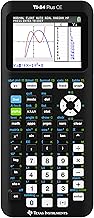
Texas Instruments TI-84 Plus CE Graphing Calculator
The industry standard for high school and college students who need function graphing, visual statistics, and AP exam compatibility.
- Vivid color backlit screen
- SAT, ACT, AP approved
- MathPrint display
- Rechargeable battery
- Huge app ecosystem
- Industry-standard
- Premium price point
- Not NCEES FE approved
- Heavier than basic models
- Slower processor than HP Prime
The TI-84 Plus CE is the calculator you see in nearly every American high school classroom, and for good reason: it is the most widely taught, most widely supported, and most exam-compatible graphing calculator available. When a teacher says “open your calculator,” there is a better-than-even chance they are teaching to the TI-84 interface. That ubiquity has real value — YouTube tutorials, textbook supplements, and teacher support are all written for the TI-84.
The color backlit display is a meaningful upgrade over previous TI-84 generations. You can now color-code multiple graphed functions to distinguish them instantly — invaluable when graphing a system of equations or visualizing data from different groups. The MathPrint display feature ensures fractions and exponents render in natural textbook format.
For AP Statistics and AP Calculus students, the TI-84 Plus CE is virtually required. The statistical functions — regression curves, normal distribution curves, histograms, box plots — are deeply integrated and match the workflow taught in most AP curricula. The app library extends functionality further, with apps for finance, science data collection, and even program execution.
The rechargeable lithium battery is a practical upgrade from the older AAA battery configuration, giving you approximately one month of typical student use per charge. If you are weighing this against a pure scientific calculator for budget reasons, consider this: the TI-84 Plus CE can perform every function of a scientific calculator plus graphing, making it the only calculator you’ll need through high school and most of college.
For students thinking long-term about finances alongside academics, note how tools for financial analysis — whether a calculator or a dedicated financial calculator — become increasingly important as you move toward working life and investment decisions like understanding index funds vs. mutual funds.
Texas Instruments TI-84 Plus CE — The classroom standard for graphing. SAT, ACT, and AP approved.
Check Price on Amazon →#3 — HP Prime G2: The Premium Choice for Advanced Users

HP Prime G2 Graphing Calculator
A touchscreen, full-color graphing calculator with a built-in CAS engine — the choice for advanced math, engineering coursework, and professionals who want the best tool available.
- Touchscreen color display
- Built-in CAS engine
- Rechargeable USB-C
- Extremely fast processor
- Apps for geometry & spreadsheet
- Premium build quality
- CAS disqualifies it from some exams
- Steep price premium
- Steeper learning curve
- Not NCEES FE approved
The HP Prime G2 is what happens when a calculator manufacturer decides to build the best possible device without compromise. The full-color multi-touch capacitive screen responds like a modern smartphone. The processor is fast enough to render 3D graphs and perform symbolic algebra in real time. The CAS (Computer Algebra System) can simplify algebraic expressions, factor polynomials, perform symbolic integration, and solve equations analytically rather than just numerically — a capability that no TI-84 or Casio scientific calculator can match.
For advanced undergraduate mathematics, graduate-level coursework, or professional engineering work where you’re not constrained by exam rules, the HP Prime G2 is in a different league. The built-in geometry app lets you construct and manipulate geometric figures interactively. The spreadsheet app brings basic tabular calculation directly to your calculator. The statistics apps cover everything from descriptive statistics through hypothesis testing with visual output.
The critical caveat: the CAS engine, which is one of the Prime G2’s biggest selling points, also disqualifies it from exams that ban CAS calculators. The SAT, ACT, and many AP exams prohibit CAS-enabled calculators. If you are a student whose primary use case is exam prep, the TI-84 Plus CE or Casio fx-115ESPLS2 is likely a better fit. But if you are buying for your own learning, professional work, or coursework that doesn’t restrict calculator capability, the Prime G2 is the most capable device at any price.
HP Prime G2 — Touchscreen CAS graphing calculator for advanced users. The most powerful option available.
Check Price on Amazon →#4 — CATIGA Scientific Calculator: Best Budget Option

CATIGA Scientific Calculator with 240+ Functions
A solid entry-level scientific calculator for students who need core functionality at a minimal price — a good backup option or first calculator for middle/high school.
- Very affordable price
- Natural display
- 240+ functions
- Intuitive layout
- Compact and lightweight
- Fewer functions than Casio
- Less robust build
- Not FE Exam approved
- Smaller brand support
The CATIGA scientific calculator punches above its weight for a budget entry. The natural display is genuinely usable, the key travel is acceptable, and the 240+ function library covers everything a middle school through early high school student needs: arithmetic, trigonometry, logarithms, roots, basic statistics, fractions, and angle mode switching. The intuitive layout closely mirrors Casio’s physical design language, so transitioning to or from a Casio device is seamless.
Where the CATIGA falls short is depth: there’s no matrix math, no vector operations, no equation solver beyond simple roots, and no CAS. For a student in AP Chemistry or AP Physics who needs unit conversions and basic trig on a budget, it works well. For anyone moving into college-level engineering or serious statistics, the Casio fx-115ESPLS2 at a modest price premium is clearly the better investment.
As a backup calculator, travel calculator, or a first device for a younger student, the CATIGA earns its place. It’s also a reasonable pick for those who need a simple device for occasional accounting and bookkeeping calculations without the complexity of a full-featured model.
CATIGA Scientific Calculator — Affordable, capable, and ideal for entry-level coursework or backup use.
Check Price on Amazon →#5 — Multi-Function Engineering Scientific Calculator: The Workhorse for Technical Fields

Multi-Function Engineering & Construction Scientific Calculator
A rugged, practically oriented scientific calculator designed for technical and vocational fields — construction, machine shop, and applied engineering.
- Built-in unit conversions
- Durable housing
- Good for vocational/technical use
- Easy feet-inch-fraction entry
- Less suited for academic math
- No natural display
- Limited for exam use
Not every student is heading toward a desk-based career. For those in construction management, machine technology, civil engineering technology, or other applied technical programs, a calculator purpose-built for field and workshop use offers distinct advantages. This category of calculator typically includes easy feet-inch-fraction conversion (critical in US construction), built-in unit conversion for length, area, and volume, and durable rubberized housings that survive a job site better than a thin academic calculator.
These are not replacements for a Casio or TI in a calculus class — the math library is shallower, and most lack natural display. But for the professional who needs to convert quickly between metric and imperial, solve right-angle problems on a construction drawing, or verify material estimates in the field, they fill a genuine niche. Many professionals keep a device like this alongside a more academic calculator for different contexts.
Engineering & Construction Scientific Calculator — Built for technical and vocational professionals who need rugged, practical math tools.
Check Price on Amazon →#6 — Entry-Level Engineering Scientific Calculator: A Solid Mid-Range Option

Scientific Calculator for Engineering, Mathematics & Trigonometry
A capable mid-range scientific calculator covering engineering math, trigonometry, and statistics at a competitive price — a strong alternative to Casio for students seeking variety.
- Multi-function display
- Engineering notation support
- Trig, stats, log coverage
- Competitive pricing
- Less established brand than TI/Casio
- Smaller support community
- Check exam eligibility
This mid-range scientific calculator occupies the space between budget entry-level models and the premium Casio fx-115ESPLS2. The multi-line display renders expressions clearly, the engineering notation mode is properly implemented, and the key labeling is clean and intuitive. The trig, logarithm, and statistics functions are all present and accurate.
The primary consideration with less-established brands is exam eligibility — check the specific model number against your exam board’s approved list before committing. The build quality is acceptable for classroom use, and the display is readable in both bright classrooms and dimly lit exam halls. For students on a tight budget who need a mid-tier option between the CATIGA and the Casio, this fills the gap competently.
Scientific Calculator for Engineering & Mathematics — A capable mid-range option covering core engineering and math functions.
Check Price on Amazon →#7 — Multi-Subject Scientific Calculator: Best for High School All-Rounders

Scientific Calculator — Trigonometry, Statistics & Chemistry Ready
A well-rounded scientific calculator covering the breadth of high school subjects including chemistry, physics, trigonometry, and statistics — ideal for multi-subject learners.
- Broad subject coverage
- Chemistry/physics ready
- Trig and stats depth
- Student-friendly interface
- Affordably priced
- Verify exam eligibility
- Not specialist-grade for engineering
- Limited advanced functions
For the typical high school student juggling chemistry, physics, pre-calculus, and statistics simultaneously, a versatile multi-subject scientific calculator is often the most practical purchase. These all-rounder models don’t aim to win in any single specialized category — instead they cover enough ground in each subject that a student can use one device across all their courses without missing core functionality.
The trigonometry and statistics functions are well-implemented, and the chemistry-ready feature set typically includes molar mass constants and a periodic table look-up or at minimum the common scientific constants pre-loaded. The interface is designed to be accessible without requiring a thick manual, which matters when you are switching between AP Chemistry and AP Statistics in the same afternoon.
Multi-Subject Scientific Calculator — One device for trig, stats, chemistry, and physics coursework.
Check Price on Amazon →Full Comparison Table: All Models Side by Side
Use this table to compare the key specifications of every calculator reviewed above at a glance.
| Model | Type | Functions | Display | Power | FE Approved | SAT/ACT | Best For |
|---|---|---|---|---|---|---|---|
| Casio fx-115ESPLS2 | Scientific | 500+ | Natural (Textbook) | Solar + Battery | ✓ Yes | ✓ Yes | Best overall / Engineering |
| TI-84 Plus CE | Graphing | Extensive | Color Backlit (MathPrint) | Rechargeable Li | ✗ No | ✓ Yes | Pre-Calc, AP Stats, AP Calc |
| HP Prime G2 | CAS Graphing | Extensive + CAS | Touchscreen Color | Rechargeable USB-C | ✗ No | ✗ No (CAS) | Advanced math / Professionals |
| CATIGA Scientific | Scientific | 240+ | Natural Display | Battery | ✗ No | ✓ Yes* | Budget / Middle–High School |
| Engineering Construction Calc | Specialty | Moderate | Linear | Battery | ✗ No | ✗ No | Field / Vocational / Technical |
| Mid-Range Engineering Calc | Scientific | 300+ | Multi-line | Battery | ✗ Verify | ✓ Likely | Budget engineering students |
| Multi-Subject All-Rounder | Scientific | 300+ | Natural Display | Battery | ✗ Verify | ✓ Likely | High school multi-subject |
*Verify with your specific exam board before test day. Approval lists change. ✓ = Confirmed approved by major boards. ✗ = Not approved or check required.
Choosing a Calculator by Use Case
The best calculator is the one that fits your specific academic or professional context — not the one with the most impressive spec sheet. Here is a practical decision framework:
For High School Students
The Casio fx-115ESPLS2 is the gold standard for most high school courses. It handles algebra through pre-calculus, chemistry, physics, and statistics with ease, and it’s approved for the PSAT, SAT, ACT, and most AP exams. If your school or AP program specifically teaches to the TI-84 interface, the TI-84 Plus CE makes sense despite the higher cost — the graphing capability becomes genuinely valuable in pre-calculus and AP Calculus AB/BC.
For College Students (STEM Majors)
Engineering and physics majors benefit from the full function depth of the Casio fx-115ESPLS2 for in-class exams (especially if the course bans graphing calculators) paired with a TI-84 or HP Prime for homework and projects. The Casio’s FE Exam approval makes it the smart long-term choice if you’re heading toward professional engineering licensure.
For Business and Finance Students
Business students often need financial functions — TVM (time value of money), NPV, IRR, amortization — that are outside the wheelhouse of even the best scientific calculators. A dedicated financial calculator (like the Texas Instruments BA II Plus or HP 12c) may serve business students better than a scientific model for CFA, CPA, and actuarial exam prep. See our guide to the best financial calculators for the full breakdown. That said, for business students who also need quantitative methods courses, the Casio fx-115ESPLS2 covers statistical and algebraic functions well enough for dual-purpose use.
For Working Professionals
Professionals who need occasional calculation support for accounting concepts, bookkeeping work, or production analysis typically do best with a simple, reliable scientific calculator at their desk. The Casio fx-115ESPLS2 is small enough to stay out of the way and capable enough to handle nearly any quantitative task that isn’t purely financial. For engineers in practice, the HP Prime G2 or a dedicated HP 35s (NCEES approved) may be worth the investment.
🎓 Student Buying Strategy
Buy the right tool for your level, not the most expensive one. A high school freshman buying an HP Prime is overkill — and that CAS engine may cost them on standardized tests. A college junior trying to save money by using a $10 budget calculator through engineering exams is setting themselves up for frustration. Match the tool to the level, and plan one step ahead: buy a calculator that will serve your next course, not just your current one.
Thinking about the bigger picture of wealth management strategies as you progress through school? Every smart purchasing decision compounds — including the tools you invest in for your education.
Scientific Calculator Exam Eligibility Guide
This is possibly the most important section if you’re buying for a specific exam. Calculator rules vary significantly between testing organizations, and the consequences of showing up with a banned model can be severe — from being required to use no calculator at all to having your score invalidated.
| Exam | Graphing Allowed? | CAS Allowed? | Notes |
|---|---|---|---|
| SAT (College Board) | ✓ Yes | ✗ No | TI-84, Casio fx series approved. No internet-enabled devices. |
| ACT | ✓ Yes | ✗ No | Similar rules to SAT. Check ACT’s approved calculator list annually. |
| AP Exams (College Board) | ✓ Yes (some) | ✗ No | AP Calc and Stats allow graphing. AP Chemistry allows scientific only. |
| NCEES FE Exam | ✗ No | ✗ No | Strict approved list. Casio fx-115 series, HP 33s/35s, TI-30X IIS approved. Verify current list at ncees.org. |
| NCEES PE Exam | ✗ No | ✗ No | Same list as FE. No deviations. Exam administrators check models. |
| GRE (ETS) | ✗ No | ✗ No | On-screen basic calculator provided. No external calculators allowed. |
| GMAT | ✗ No | ✗ No | On-screen calculator provided for Integrated Reasoning only. |
| CPA Exam (AICPA) | ✗ No | ✗ No | On-screen calculator in testing software. No personal calculators. |
Understanding which financial tools are allowed on professional exams connects to broader questions of smart financial planning and career preparation. Just as knowing which investment platforms suit your needs requires due diligence, choosing the right exam calculator rewards the same careful research.
10 Tips for Getting the Most Out of Your Scientific Calculator
Owning a great calculator is only half the equation. Here is how to use it effectively:
- Master the SHIFT/2nd Function Key First. On virtually every scientific calculator, the yellow, orange, or blue SHIFT key unlocks a second layer of functions printed above the regular keys. This doubles your accessible functions without adding buttons. Many students never fully explore this layer — learning it systematically in the first week of owning the calculator pays dividends for years.
- Always Check Your Angle Mode Before a Trig Problem. One of the most common sources of wrong answers on exams is being in RAD mode when the problem expects DEG, or vice versa. Make it a habit: before every trig problem, glance at the top of your display for the mode indicator. A wrong answer on a trig problem due to angle mode error is pure avoidable loss.
- Use the Memory Store (STO) for Intermediate Values. Rather than rounding intermediate results and re-entering them, store them in memory registers (A, B, C, X on most calculators). This eliminates rounding errors across multi-step problems and speeds up complex calculations significantly.
- Learn Your Equation Solver Before You Need It. The equation solver on models like the Casio fx-115ESPLS2 can solve polynomial equations up to degree three and system equations. This is enormously useful in chemistry equilibrium problems, engineering mechanics, and algebra courses — but only if you have spent time learning the input syntax before exam day.
- Understand Statistical Data Entry Mode. Statistical functions require entering data through a specific mode (STAT mode on Casio, STAT/LIST on TI). Entering data incorrectly or calculating the wrong regression type are common errors. Practice this workflow on real datasets from your coursework before any exam.
- Use the ANS Key for Chained Calculations. Rather than retyping the result of the previous calculation, use the ANS (Answer) key to chain calculations together. This eliminates transcription errors and dramatically speeds up multi-step problems.
- Learn What Reset Does — and Do It Before Exams. Some exams require calculators to be reset before entering the testing room. Know how to perform a full reset without panicking, and verify that the reset doesn’t delete any pre-loaded constants you need. For most scientific calculators, resetting returns to default settings without deleting built-in constants.
- Practice in Exam Conditions. Do at least one timed practice exam using only your calculator — no computer, no phone backup. The pressure of exam time reveals habits you didn’t know you had, like hunting for a button you thought you knew, or accidentally switching modes mid-problem.
- Keep a Spare Battery. It costs a dollar. Carry one. The only thing worse than going into a major exam with a dead calculator is going in with one that dies halfway through.
- Read the Manual — Seriously. Casio and TI both provide comprehensive PDFs for every model. Spending one evening reading the manual from cover to cover reveals functions you didn’t know existed and menu shortcuts that save time. Almost no students do this, which makes it an immediate competitive advantage.
Strong quantitative skills developed through calculator mastery connect naturally to skills needed for reading balance sheets, interpreting income statements, and understanding cash flow analysis — the foundation of financial literacy that compounds value over an entire career.
Scientific Calculators and Academic Success: The Bigger Picture
A calculator is one piece of a larger study ecosystem. Students who invest in the right tools consistently perform better — not because the tools do the thinking, but because the right tools reduce friction, allowing mental energy to focus on understanding rather than mechanical computation.
Consider the relationship between tool quality and performance across academic contexts. A student using a poor-quality calculator with an unresponsive keypad and unclear display is burning cognitive resources on the interface itself — key hunting, misreading digits, second-guessing entries. A student with a well-designed calculator on a clean, organized desk processes problems faster and makes fewer mechanical errors. The academic ROI of a quality scientific calculator is among the highest of any study supply.
This principle extends beyond calculators. Whether it’s the best mechanical pencil for note-taking, a well-organized desk for focus, or quality binders for keeping course materials accessible, the common thread is reducing cognitive overhead so your brain can focus on learning.
For students heading toward business or finance careers, the analytical habits built through scientific calculator use — precision, systematic problem decomposition, verification — are the same habits required in bookkeeping, accounting fundamentals, and rigorous decision-making. The calculator is not just a math tool — it is a training ground for quantitative thinking.
For students evaluating the economics of education itself — from the cost of tools to broader questions like which MBA programs offer the best return or the real cost of an online business degree — the same careful value-for-cost analysis applies. Buy what serves you best, verify it fits your context, and master it.
Our top pick for the widest range of students: the Casio fx-115ESPLS2. FE Exam approved, 500+ functions, solar-hybrid power, under $20.
Check Price on Amazon →Frequently Asked Questions
Final Verdict: Which Scientific Calculator Should You Buy?
After reviewing every major model across price, performance, exam eligibility, and real-world usability, the answer for most people is clear:
The Casio fx-115ESPLS2 is the best scientific calculator for the vast majority of students and professionals. Its combination of 500+ functions, genuine natural display, solar hybrid power, FE Exam approval, and an almost impossibly low price makes it the rational choice unless your specific needs point you elsewhere.
If you need graphing capability, the TI-84 Plus CE is the proven classroom standard — accepted everywhere, taught everywhere, and reliable for the long haul. If you want the most capable device available and exam restrictions don’t apply, the HP Prime G2 is in a different league.
Whatever you choose, invest time mastering it. A mediocre calculator used expertly outperforms a great calculator used blindly. The exam prep, career success, and financial thinking skills you develop with strong quantitative tools compound in value throughout your life.
→ Get the Casio fx-115ESPLS2 on AmazonAlso see our guides to the best calculators overall, best financial calculators, and best laptops for MBA students to complete your academic toolkit.