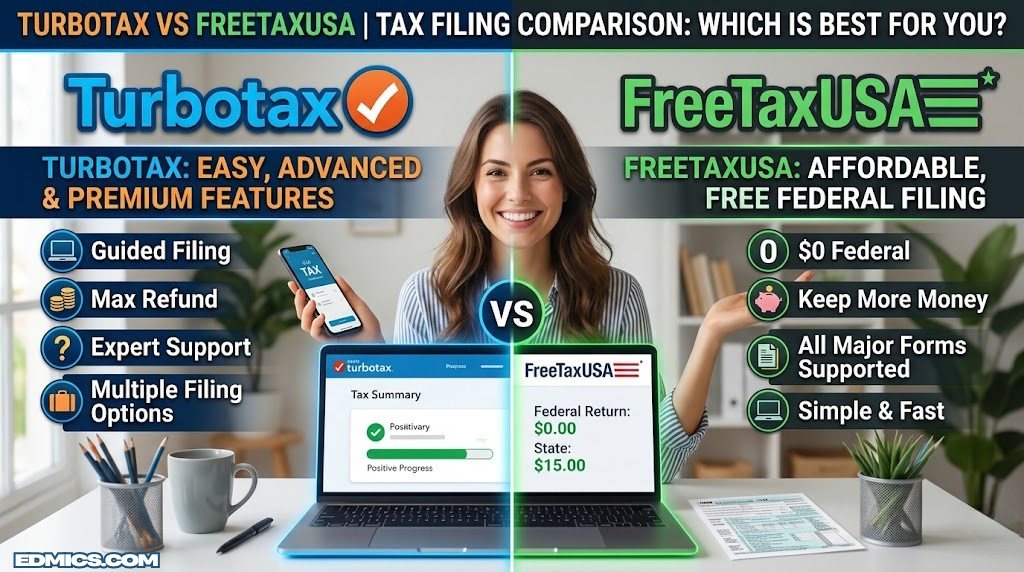

TurboTax has dominated the consumer tax software market for decades. It’s slick, deeply guided, and trusted by tens of millions. But that dominance comes at a price — sometimes a steep one. FreeTaxUSA, meanwhile, has quietly built a reputation as the smartest budget play in the game, offering free federal filing for virtually everyone with a simple flat fee for state returns.
If you’re someone who takes financial planning seriously, you already know that unnecessary fees compound into real money over time. The difference between paying $130 for TurboTax and $15 for FreeTaxUSA might seem trivial in isolation, but over a decade of filing, that’s over a thousand dollars — money that could be working harder elsewhere, perhaps in some of the best investments available right now.
This comparison goes deep. We’ll look at pricing structure, supported forms, import capabilities, user experience, accuracy guarantees, support quality, and the edge cases where one platform clearly wins. By the end, you’ll know exactly which tool belongs in your tax toolkit.
At a Glance: TurboTax vs FreeTaxUSA
| Category | TurboTax | FreeTaxUSA |
|---|---|---|
| Federal filing (simple) | Free (limited eligibility) | Always Free |
| Federal filing (complex) | $39–$89+ | Free |
| State filing | $39–$64 per state | $14.99 per state |
| Live CPA access | Yes (paid tiers) | No |
| Self-employed support | Yes | Yes (free) |
| Investment income (stocks, ETFs) | Yes + import | Yes (manual) |
| Crypto support | Yes (integrations) | Yes (manual) |
| W-2 import | Yes (1000s of employers) | Limited |
| Prior-year import | Yes | Yes (PDF import) |
| Audit defense | Yes (paid add-on) | Yes (paid add-on) |
| Mobile app | iOS + Android | Web (mobile-responsive) |
| Maximum Refund Guarantee | Yes | Yes |
| Amended returns (1040-X) | Yes | Yes (free) |
| Guided interview interface | Full (conversational) | Moderate |
Comparing more than two options? See how TurboTax stacks up against H&R Block before you decide.
Pricing Breakdown: Where the Real Gap Lives
Pricing is where TurboTax and FreeTaxUSA diverge most dramatically. It’s not simply a matter of one being “a bit cheaper” — the structural difference in how each platform charges is a fundamentally different philosophy about who should pay for tax software.
TurboTax Pricing Structure
TurboTax uses a tiered pricing model where complexity costs money. The advertised “Free” tier is genuinely free for a small slice of filers with only W-2 income, a standard deduction, and basic credits — but most people who think they qualify will discover mid-filing that they need an upgrade. This has been the subject of legitimate criticism and regulatory attention in recent years.
- Federal only
- Basic W-2 income
- Standard deduction
- Child tax credit
- State: Not included
- Itemized deductions
- Mortgage interest
- Charitable donations
- State: +$39–$49
- Most popular tier
- Stocks, bonds, ETFs
- Rental property income
- Crypto (basic)
- State: +$39–$49
- Schedule C
- Business expense tracker
- 1099-NEC, 1099-MISC
- QuickBooks import
- State: +$39–$49
TurboTax pricing is advertised for federal-only. When you add state filing, a typical TurboTax Deluxe + State bundle runs $80–$100. The Self-Employed tier with state can easily hit $130–$140. That’s for software that does the same math as a platform charging $15.
FreeTaxUSA Pricing Structure
FreeTaxUSA’s pricing model is refreshingly simple: federal filing is free for everyone. Not free with asterisks, not free until you have a side gig — free. Period. The only time you pay is for state filing ($14.99 per state), premium add-ons like audit defense ($19.99), or the “Deluxe” upgrade ($6.99) that mostly adds priority support and better customer service access.
- All income types
- Schedule C (self-emp)
- Schedule D (investments)
- All deductions
- No income limit
- All state forms
- Multi-state supported
- Flat fee, any complexity
- Priority support
- Live chat
- Unlimited amendments
- Professional audit rep
- IRS notice handling
- Correspondence support
For someone filing a federal return plus one state with no add-ons, the math is stark: FreeTaxUSA costs $14.99 versus TurboTax’s typical $80–$140 for comparable functionality. Over five years, that’s potentially $300–$600 in savings — real money that belongs in your pocket or, better yet, working for you in a diversified portfolio. If you’re thinking about where to put that extra cash, the case for switching becomes even more compelling.
- Transparent tiered structure
- Free for genuinely simple filers
- Discounts via employer programs
- Military gets free access
- State fees double the cost
- “Free” tier is extremely narrow
- Upsell prompts throughout filing
- Live CPA adds another $100+
If you’re self-employed and need bookkeeping alongside tax prep, this comparison is essential reading.
Feature Comparison: Form Coverage, Imports, and Tools
Both platforms cover the essential forms that the vast majority of Americans will ever need. The differences emerge at the margins — and those margins matter significantly for filers with investment income, multiple income streams, or complex deduction situations.
Form Coverage
FreeTaxUSA’s free federal tier covers an impressive breadth of forms including Schedule A (itemized deductions), Schedule B (interest and dividends), Schedule C (self-employment), Schedule D (capital gains and losses), Schedule E (supplemental income), and the child and dependent care credit, education credits, and retirement contributions. That’s a lot of ground for zero dollars on the federal side.
TurboTax covers the same core forms, but gates some behind paid tiers. The Premier tier is required for rental income and investment detail, and the Self-Employed tier for business income. FreeTaxUSA puts this all under one free federal umbrella, which is a meaningful difference for households with mixed income types.
| Form / Situation | TurboTax (Tier Required) | FreeTaxUSA |
|---|---|---|
| W-2 income only | Free | Free |
| Itemized deductions (Schedule A) | Deluxe ($39+) | Free |
| Business income (Schedule C) | Self-Employed ($89+) | Free |
| Capital gains (Schedule D) | Premier ($69+) | Free |
| Rental income (Schedule E) | Premier ($69+) | Free |
| Education credits (AOTC, LLC) | Deluxe ($39+) | Free |
| Child Tax Credit | Free | Free |
| Earned Income Tax Credit | Free | Free |
| HSA / FSA (Form 8889) | Deluxe+ | Free |
| Foreign tax credit | Premier+ | Free |
| Amended return (1040-X) | Varies by tier | Free |
| Retirement income (1099-R) | Deluxe+ | Free |
Import Capabilities
This is where TurboTax’s ecosystem investment shows clearly. TurboTax integrates directly with hundreds of payroll providers for W-2 import, links to major financial institutions for 1099 data, and has partnerships with cryptocurrency platforms for automatic transaction import. If you traded hundreds of times through a major brokerage, TurboTax can pull all of that in with a few clicks.
FreeTaxUSA’s import capabilities are more limited. It allows PDF import from prior-year returns (including TurboTax exports) and some employer W-2 imports, but it’s more manual in nature. For someone with a complex investment portfolio — particularly those who should be reviewing stocks vs bonds allocation strategies — more manual entry isn’t necessarily a dealbreaker, but it does add time.
TurboTax’s import advantage is real but often overstated. For a household with one W-2, one 1099-INT, and standard deductions, manual entry in FreeTaxUSA takes under 15 minutes. The import edge matters most for filers with 50+ investment transactions, multiple W-2s from different employers, or complex business books.
Deduction Optimization Tools
TurboTax invests heavily in deduction discovery features. Its “ItsDeductible” integration helps filers value donated goods, it asks probing questions about potential deductions you might overlook (home office, vehicle mileage, work-from-home expenses), and it provides real-time refund tracking as you enter data. The experience is designed to feel like a smart friend walking you through every possible savings.
FreeTaxUSA is more form-first. It guides you through forms rather than conversations, which means you need to know what you’re looking for. This works fine for experienced filers and those with a clearer picture of their situation, but it may leave first-timers missing deductions that TurboTax would have surfaced through questioning. Good financial planning habits help bridge this gap — if you track your deductions throughout the year, the more form-centric approach becomes less of a disadvantage.
Feature Scores
Ease of Use: How Each Platform Actually Feels
The subjective experience of using tax software matters more than people admit. A confusing interface leads to errors. Errors lead to amended returns, IRS correspondence, and stress. The way each platform guides you through the filing process is as important as which forms it covers.
TurboTax: The Conversational Guide
TurboTax pioneered the interview-style tax filing experience, and it remains the gold standard for guided tax preparation. Rather than presenting you with a blank Form 1040 or a list of schedules, TurboTax asks you plain-English questions. Did you work from home? Do you have dependents? Did you sell any property? The software then routes you to exactly the forms you need based on your answers.
The interface is clean and contemporary. Each screen handles one topic at a time. Tooltips and explanations are everywhere — hover over nearly anything and you’ll get a plain-language explanation of what it means and why it matters. For a first-time filer or someone who just wants reassurance at each step, this approach is genuinely excellent.
TurboTax also provides a real-time refund or amount-owed counter that updates as you enter data. Watching your refund grow with each deduction is oddly satisfying, and practically useful — it helps you confirm that your entries are having the expected effect.
FreeTaxUSA: The Efficient Form-Filer
FreeTaxUSA takes a different approach. Its interface is more utilitarian and form-centric. You’re presented with sections corresponding to income types, deductions, and credits, and you navigate through them sequentially. The experience feels more like filling out a digital form than having a conversation.
This is not necessarily a bad thing. Experienced filers who know what they have and what they need often find FreeTaxUSA faster and less patronizing. There are fewer “are you sure?” prompts, fewer explanatory pop-ups to dismiss, and less time spent on screens that add nothing to your return. If you file every year and have a sense of your situation, you may actually complete your return faster on FreeTaxUSA.
The platform also offers a “Question and Answer” mode that provides more guidance, though it’s not as deeply conversational as TurboTax. Help resources are available but less proactively surfaced. Good background knowledge — the kind you’d pick up from understanding concepts like accounting basics — goes a long way on FreeTaxUSA.
- Conversational interview style
- Real-time refund tracker
- Proactive deduction prompts
- Excellent explanations inline
- Clean, modern design
- Progress tracker
- Section-based navigation
- Q&A mode available
- Faster for experienced users
- Less prompting and upselling
- Functional, no-frills design
- Consistent refund display
Lowering your tax bill is only step one. See which budgeting platform helps you make the most of your refund.
Accuracy & Guarantees: Can You Trust the Math?
Both TurboTax and FreeTaxUSA advertise 100% accuracy guarantees. In practical terms, this means that if either platform makes a calculation error that results in a penalty or additional tax owed, the company will pay the penalty and interest. This is not a guarantee that your refund is maximized — only that the arithmetic is correct given the information you provide.
The real accuracy risk in DIY tax software is almost never the software itself — it’s data entry. Both platforms are doing the same IRS math. The difference is in how well each platform helps you enter the right data in the first place. TurboTax’s more guided approach reduces the chance that you’ll miss an income source or misunderstand where to enter a deduction. FreeTaxUSA’s form-first approach puts more responsibility on you to know what to enter where.
Third-party tax experts and IRS processing data generally confirm that both platforms produce accurate returns when used correctly. The IRS does not track which software produced which return — it processes them identically. The “accuracy gap” between TurboTax and FreeTaxUSA is largely a perception issue, not a technical one.
Maximum Refund Guarantee
Both platforms also offer a maximum refund guarantee. If you find a larger refund using another platform for the same return, either company will refund your filing costs. This guarantee is rarely invoked, but its existence signals confidence in both systems’ ability to correctly apply the tax code.
It’s worth noting that neither guarantee covers errors in strategy — for instance, whether you should take the standard deduction versus itemizing, or whether a particular business expense qualifies. Those judgment calls remain yours. This is where the platforms diverge meaningfully: TurboTax actively helps you evaluate those strategic choices through prompting; FreeTaxUSA expects you to come with more of those answers already formed. If you want to dive deeper into underlying principles — concepts like understanding a balance sheet or foundational accounting rules — that background knowledge pays dividends when using the more form-centric FreeTaxUSA.
Complex Tax Situations: Who Handles Them Better?
For simple W-2 filers taking the standard deduction, either platform works without reservation. The comparison becomes more meaningful — and more nuanced — for filers with complexity. Let’s look at the situations where the choice matters most.
Self-Employment and Gig Income
FreeTaxUSA’s handling of self-employment income is one of its most compelling strengths. Schedule C — the form for reporting profit or loss from a business — is included at no charge on the federal side. This covers freelancers, contractors, gig workers, sole proprietors, and anyone receiving 1099-NEC income. The self-employment tax calculation (covering Social Security and Medicare contributions) is handled correctly, and the deduction for half the self-employment tax is automatically applied.
TurboTax handles self-employment income excellently as well, but it’s locked behind the Self-Employed tier, which adds significant cost. TurboTax also offers a year-round expense tracking feature and direct integration with QuickBooks Self-Employed, which can be valuable if you’re already in that ecosystem. For freelancers who haven’t yet thought through solid financial planning structures, TurboTax’s guided approach may surface deductions that FreeTaxUSA’s form-centric interface doesn’t proactively flag.
Investments, Capital Gains, and Cryptocurrency
This is where TurboTax earns its price premium most clearly. If you actively trade stocks, ETFs, or options — particularly through major brokerages — TurboTax’s direct import capability is a genuine time-saver. Connecting to a brokerage account and importing hundreds of transactions automatically is far preferable to manual entry. For those building wealth through dividend stocks, index funds, or other investment vehicles, the friction of manual entry in FreeTaxUSA is real.
Cryptocurrency adds another layer. TurboTax has partnerships with several major crypto platforms and allows direct import of transaction histories. FreeTaxUSA supports cryptocurrency gains and losses but requires manual entry or a downloadable CSV from your exchange. This isn’t impossible, but for active crypto traders, it’s significantly more time-consuming. If you’re holding assets through a hardware wallet or decentralized platform with complex transaction histories, TurboTax’s integrations are meaningfully better.
For passive investors — someone holding a broad index fund portfolio who receives an annual 1099-B from a single brokerage — FreeTaxUSA is entirely adequate. The manual entry for a handful of transactions takes minutes, and the savings are real.
| Situation | TurboTax | FreeTaxUSA | Winner |
|---|---|---|---|
| W-2 only, standard deduction | Excellent | Excellent | — |
| Homeowner with mortgage interest | Excellent | Excellent | — |
| Side gig / 1099 income | Excellent (paid) | Excellent (free) | FreeTaxUSA |
| Rental property (1–2 units) | Premier+ | Free | FreeTaxUSA |
| Passive investor (1 brokerage) | Good | Good | — |
| Active trader (100+ transactions) | Excellent (auto-import) | Good (manual) | TurboTax |
| Cryptocurrency (active) | Excellent | Adequate | TurboTax |
| Multi-state filing | Expensive (+$49/state) | $14.99/state | FreeTaxUSA |
| Estate or trust income (K-1) | Premier+ | Free | FreeTaxUSA |
| Foreign income or exclusion | Complex / varied | Partial support | TurboTax |
Rental Properties
Landlords with one to several rental properties will find FreeTaxUSA handles their situation perfectly well through Schedule E. The platform covers rental income, allowable deductions (mortgage interest, insurance, maintenance, depreciation), and the passive activity loss rules. This is all included for free on the federal side, making FreeTaxUSA an excellent choice for real estate investors who don’t want to pay a premium for software that does the same work.
TurboTax’s Premier tier handles this equally well, with more guidance on depreciation recapture, Section 179 deductions for improvements, and the nuances of passive loss carryforwards. If you’re new to rental income taxation or have a complicated rental situation, TurboTax’s guidance is worth the price difference.
Understand your investment structure before tax season so you know exactly what to expect on Schedule D.
Customer Support: Access, Quality, and What You’re Actually Getting
Tax questions arise mid-filing with some regularity. A form you’ve never seen before shows up, a number doesn’t match what you expected, or you’re genuinely uncertain about whether something qualifies as a deduction. How well each platform handles those moments is worth scrutinizing.
TurboTax Support Tiers
TurboTax offers multiple support pathways depending on what you’re willing to pay. At the base level, you have access to a searchable knowledge base and community forum that covers most common questions adequately. For active filers, TurboTax’s in-app help is integrated throughout the experience — every field has a tooltip, and most sections have a “Learn More” option that explains the relevant tax concept.
The significant differentiator is TurboTax Live, which connects you with a certified public accountant (CPA) or enrolled agent (EA) for on-demand help. You can get a quick question answered via chat, share your screen for real-time guidance, or opt for the full-service TurboTax Live where a professional handles your entire return. These live help options carry substantial price premiums — TurboTax Live Basic starts around $89 and TurboTax Live Full Service can run several hundred dollars — but the quality of help is genuinely professional.
FreeTaxUSA Support
FreeTaxUSA’s support structure is more limited. Free tier users have access to a knowledge base and email support. The Deluxe upgrade ($6.99) adds priority email support and live chat access. There is no equivalent of TurboTax Live — you cannot connect with a tax professional through FreeTaxUSA for guidance on complex questions.
Email support from FreeTaxUSA is generally praised for being responsive and accurate in user reviews. For a platform at this price point, the support quality-to-cost ratio is solid. But if you’re the type who wants to talk to a real person or get screen-sharing help at any moment during filing, FreeTaxUSA won’t deliver that at any price.
Most filers with straightforward returns never contact support at all. The real support advantage of TurboTax matters primarily for filers who genuinely have complex questions or who are new enough to the process that they need professional reassurance. If you’ve filed successfully on your own before and understand your situation, FreeTaxUSA’s support gaps won’t affect your experience.
Audit Defense
Both platforms offer audit defense add-ons at an additional cost. TurboTax’s MAX upgrade (around $39–$49) includes identity theft monitoring, audit support, and a dedicated advocate if you face IRS scrutiny. FreeTaxUSA’s audit defense add-on ($19.99) provides similar professional representation if you’re selected for audit.
It’s worth noting that the odds of audit are low for most filers, and the audit defense products are primarily peace-of-mind purchases. If you’ve kept good records and filed accurately, you’re unlikely to need either. Maintaining good document organization — perhaps in a secure fireproof document safe — is the more practical audit preparation for most households.
Data Security: What Happens to Your Information
Tax returns contain some of the most sensitive personal and financial data in existence — Social Security numbers, bank account information, income details, investment portfolios, and sometimes business financial data. Security should be a non-negotiable consideration when choosing any tax platform.
Both TurboTax and FreeTaxUSA use 256-bit SSL encryption for data transmission and store your information in encrypted databases. Both offer two-factor authentication, and both are required to meet IRS security standards as authorized e-file providers. Neither platform has a trivially dismissable security record, but neither has a spotless one either.
TurboTax Security History
Intuit, TurboTax’s parent company, has faced security controversies over the years, including incidents involving credential stuffing attacks that allowed unauthorized access to some user accounts. The company has responded with significant security investments, enhanced monitoring, and improved authentication requirements. As of current practices, TurboTax’s security infrastructure is robust and meets modern standards, but its historical incidents are worth knowing about.
FreeTaxUSA Security
FreeTaxUSA has a lower public profile and consequently fewer publicly documented incidents. Its security practices include bank-level 256-bit encryption, two-factor authentication, and compliance with all IRS data security requirements. The smaller scale of the company means fewer resources dedicated to security infrastructure, but also potentially a lower profile as a target for sophisticated attacks.
Regardless of which platform you use: enable two-factor authentication, use a unique strong password, file as early as possible to prevent fraudulent filing in your name, and verify your return was accepted by the IRS. The biggest security risk for most tax filers isn’t the platform — it’s weak passwords and phishing attacks.
Mobile Experience: Apps, Responsiveness, and Convenience
The ability to start, continue, and complete a tax return from a smartphone has become an expectation rather than a differentiator. Both platforms offer mobile access, but with meaningfully different approaches.
TurboTax Mobile App
TurboTax has dedicated native apps for both iOS and Android that offer the full filing experience. You can take photos of your W-2 and have the data automatically extracted using optical character recognition — a genuinely useful feature. The app supports the complete interview-based filing flow, meaning you can file entirely from your phone without ever touching a desktop. The interface is well-optimized for small screens, and the apps maintain strong ratings in both app stores.
FreeTaxUSA Mobile
FreeTaxUSA does not have a dedicated native mobile app. Its platform is web-based, though the web interface is mobile-responsive and functions on smartphones. For most people, accessing FreeTaxUSA via a mobile browser is perfectly workable, though some tasks — like navigating between sections or entering multiple forms — are somewhat more cumbersome on a small screen than in TurboTax’s native app.
If mobile filing is important to you, TurboTax has a clear advantage. If you primarily file from a laptop or desktop, this distinction doesn’t matter much.
Your brokerage matters for tax reporting. Compare two major platforms to find which makes your Schedule D easier.
Special Filing Scenarios: Military, Students, Non-Residents, and Retirees
Military Filers
Active-duty military members receive a particularly strong deal from TurboTax. Through a partnership program, active-duty service members with a qualifying military W-2 can file both federal and state returns free through TurboTax’s MilTax or TurboTax Military editions. This effectively eliminates TurboTax’s cost disadvantage for this group. FreeTaxUSA is still free federally but costs $14.99 per state. For most active-duty military, TurboTax may be the better financial choice.
Students and First-Time Filers
Students with only a part-time job W-2, possibly some education credits, and a simple financial life are well-served by either platform. FreeTaxUSA’s free federal tier covers education credits like the American Opportunity Tax Credit (AOTC) and Lifetime Learning Credit without the need for a premium tier. TurboTax also covers these, though the Deluxe tier is typically required.
For the student who is filing independently for the first time, TurboTax’s guided experience is probably worth the modest incremental cost of the state return. Getting it right the first time, with confidence, has value. But financially, FreeTaxUSA is the better deal for a student with a simple return and a finite budget. Smart money habits — including cost-conscious tool selection — are foundational to good personal budgeting.
Retirees
Retirees typically have income from Social Security, pensions, and potentially distributions from retirement accounts (1099-R). FreeTaxUSA handles all of these at no federal charge. The taxation of Social Security benefits, the various pension exclusions, and Required Minimum Distribution rules are all supported. For a retiree who has been on the same platform for a decade, the switch to FreeTaxUSA requires only a one-time PDF import from their prior year return to get started.
If you’re thinking about retirement savings targets, reducing unnecessary annual expenses like excess tax software fees is a small but compounding contribution to your overall picture. Speaking of which, understanding strategies like compound interest can contextualize just how much those annual platform savings add up to over decades of filing.
Non-Resident and Dual-Status Filers
This is one area where neither platform excels, and where professional help is most clearly warranted. Non-resident aliens file Form 1040-NR, which is not supported by standard TurboTax or FreeTaxUSA. TurboTax partners with Sprintax for non-resident filing, while FreeTaxUSA does not have a non-resident solution. Dual-status returns (part-year resident) can be done in either platform with careful manual navigation, but mistakes are easy. For this group, consulting a tax professional is the safer play.
Who Should Use TurboTax vs FreeTaxUSA?
After examining pricing, features, ease of use, accuracy, support, and special situations, a clear decision framework emerges. The right choice depends almost entirely on your specific situation rather than on any inherent superiority of one platform over the other.
- You’re a first-time filer who wants maximum guidance
- You want live CPA or enrolled agent access
- You actively trade and need brokerage/crypto auto-import
- You’re active-duty military (likely free)
- You want native iOS/Android app filing
- You have complex foreign income or exclusions
- You already use QuickBooks Self-Employed
- Peace of mind and hand-holding matters more than cost
- You want free federal filing regardless of complexity
- You’re self-employed with Schedule C income
- You file in multiple states (saves $25–$100+)
- You’re an experienced filer who knows your situation
- You have rental income (Schedule E) and want to save
- You have investment income but from one or two accounts
- You’re budget-conscious and want maximum savings
- You filed before and found TurboTax overkill
For the majority of American tax filers — a household with W-2 income, some investment accounts, maybe a home mortgage, and standard to itemized deductions — FreeTaxUSA delivers identical results at a fraction of the cost. TurboTax’s premium is justified for first-timers, active traders with complex import needs, and filers who genuinely value professional live help. Everyone else is probably paying for a brand rather than a better return.
How to Switch Between Platforms and What to Expect
If you’ve been using TurboTax for years and are considering switching to FreeTaxUSA, the process is simpler than you might expect. FreeTaxUSA allows you to import your prior-year return as a PDF, which pre-populates name, address, prior-year adjusted gross income (needed for e-filing), and some dependent information. You’ll still enter your current-year information manually, but the initial setup friction is minimal.
One practical consideration: TurboTax allows you to archive your returns in PDF format from your account. Download these before switching to ensure you have copies of previous filings. Storing sensitive documents securely is always wise — this is true whether you’re switching tax platforms, changing brokerages, or simply organizing your financial life. A fireproof document safe for physical copies and encrypted cloud storage for digital copies are both worth maintaining.
Going back to TurboTax after using FreeTaxUSA is equally simple. You can import a prior-year PDF from FreeTaxUSA into TurboTax, and TurboTax supports imports from many competing platforms. There’s no lock-in with either service.
Trying FreeTaxUSA Without Committing
FreeTaxUSA allows you to enter all of your information and preview your return before paying a cent. You only pay the $14.99 state fee when you’re ready to file — and even then, the federal return remains free. This means you can complete your entire federal return, verify the numbers match what you expect, and then decide whether to pay for the state return and file. There’s no risk in starting your return on FreeTaxUSA to see how it compares to what you’ve been quoted on TurboTax.
The Final Word on TurboTax vs FreeTaxUSA
TurboTax is a genuinely excellent product. It sets the standard for guided tax preparation, offers the most comprehensive import ecosystem, and provides live professional help that no similarly priced competitor can match. If any of those things matter for your specific situation, TurboTax is worth the premium.
FreeTaxUSA, however, does something remarkable: it delivers accurate, IRS-compliant federal tax filing for every type of return — including self-employment, rental income, and investments — at zero cost for the federal return. The $14.99 state fee is the most honest pricing in the consumer tax software market. For the majority of households, the software does the same job at a fraction of the cost.
The smart default for most experienced filers is FreeTaxUSA. The smart default for first-timers, active traders, and those who want live CPA access is TurboTax. Neither answer is wrong — but failing to evaluate the choice is costing millions of people real money every year.
Frequently Asked Questions
Is FreeTaxUSA really free?▼
Is TurboTax worth the extra cost over FreeTaxUSA?▼
Which is more accurate — TurboTax or FreeTaxUSA?▼
Can FreeTaxUSA handle self-employment taxes?▼
Does TurboTax offer live help from a real CPA?▼
Can I import my W-2 into both TurboTax and FreeTaxUSA?▼
Which software is better for investors with stocks or crypto?▼
How does each platform handle state tax returns?▼
Is my data safe on FreeTaxUSA and TurboTax?▼
Can I switch from TurboTax to FreeTaxUSA mid-filing season?▼
Which platform is better for first-time filers?▼
Does FreeTaxUSA support amended returns?▼
Conclusion: Stop Overpaying for Tax Software
The TurboTax vs FreeTaxUSA comparison ultimately comes down to a question of what you’re optimizing for. If your priority is maximum guidance, live professional access, and the richest import ecosystem regardless of cost, TurboTax delivers and then some. It’s a premium product that justifies its price for the people who genuinely need what it offers.
But for the broad majority of filers — including self-employed people, homeowners with deductions, landlords, investors with moderate portfolio activity, and retirees — FreeTaxUSA represents something rare in the consumer software market: a high-quality product that doesn’t charge a premium for quality. The federal return is truly free. The $14.99 state fee is honest. The accuracy is comparable. And the money you save is real.
Tax software is one piece of a larger financial picture. If you’re thinking seriously about wealth management and building long-term financial security, the small savings from choosing smarter tools compound in the same way interest does. Every dollar saved on unnecessary software fees is a dollar that could go toward better investments, emergency savings, or retirement contributions.
Make the right choice for your situation. File confidently. And keep more of what you earn. If you want to continue building your financial knowledge, guides on topics like reading an income statement, understanding cash flow, and accounting software comparisons are all worth exploring.
Ready to Make the Switch?
Whether you’re staying with TurboTax or making the move to FreeTaxUSA, knowledge is your edge. Explore more financial guides to build the complete picture.