The Ultimate Laptop Guide for MBA Students & Business Professionals
Power through case studies, financial models, and boardroom presentations without compromise — these machines were chosen for how real business gets done.

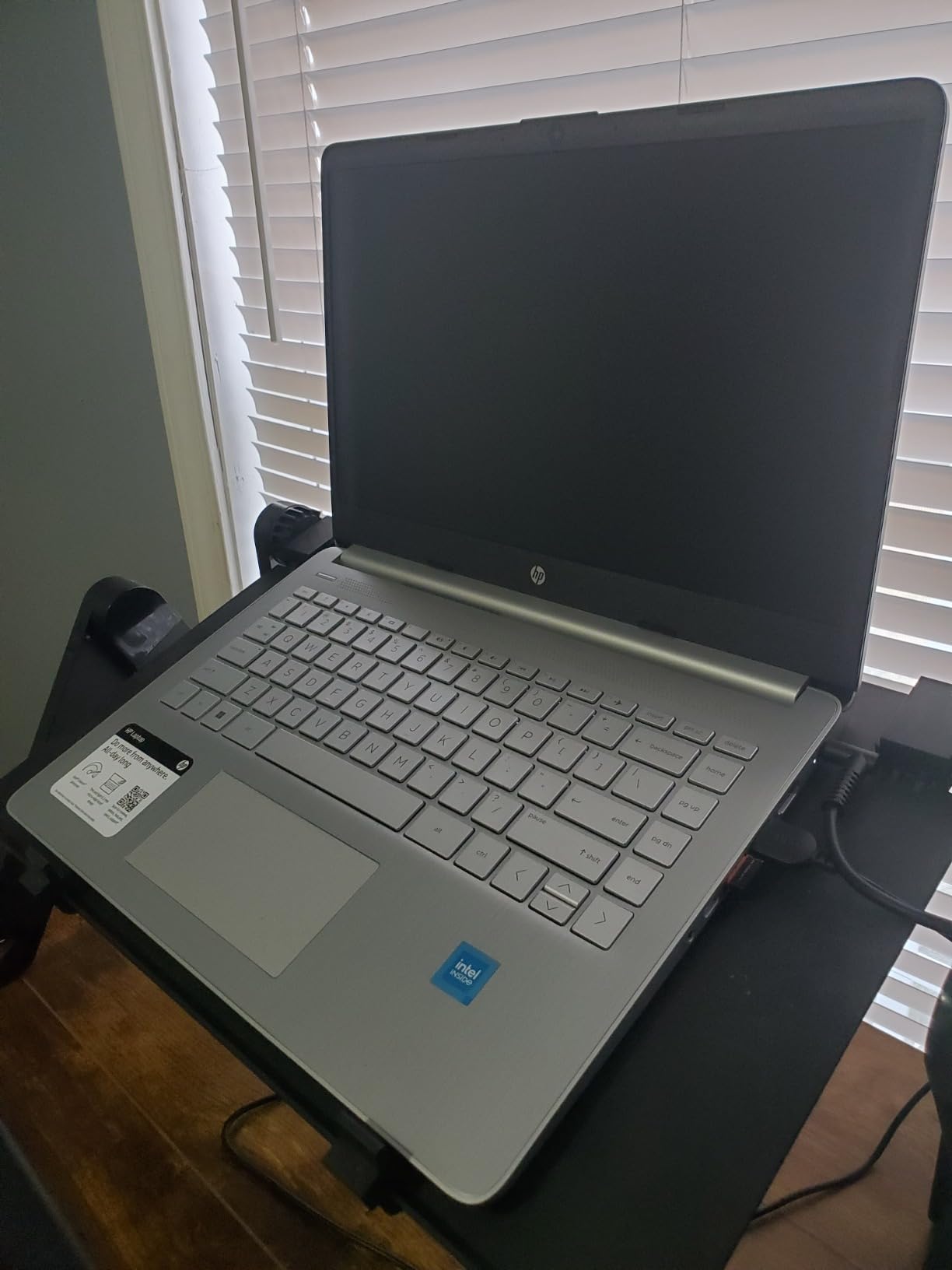
Why Your Laptop Is the Most Important Tool in Your MBA Arsenal
An MBA program doesn’t run on enthusiasm alone. From the first orientation week to the final capstone presentation, you are constantly working — running financial simulations in Excel, collaborating on case studies over Zoom, writing 30-page strategic reports, and pitching mock business plans to visiting executives. The laptop you bring to that environment is not a peripheral accessory. It is the engine room of your entire academic and professional life.
Business professionals face the same pressure at scale. Whether you’re a management consultant building multi-scenario models at 35,000 feet or a VP of Finance preparing board decks at midnight, your machine needs to respond instantly and not die before the meeting starts. The stakes are real — and so are the differences between laptops that accelerate your work and those that quietly sabotage it.
Choosing the right laptop for an MBA or business career is ultimately a decision about workflow. You need to understand what you’ll actually be doing — and how the hardware has to support it. If you’re also thinking about the financial strategy behind your MBA investment, our guide on best investments for long-term returns is worth reading alongside this one. A great laptop is a great investment in itself.
Throughout this guide, we’ve assessed each machine not just on raw specs but on how it behaves in realistic business scenarios: running Excel with 20+ open tabs, video-conferencing while reviewing slides, and handling the weight penalty of carrying it to campus every single day. Let’s build the full picture.
What to Look For in a Business & MBA Laptop
Not all “business laptops” are created equal. Marketing copy loves the phrase, but the criteria that actually matter to someone balancing coursework, networking, and job recruitment are quite specific. Here are the eight dimensions we used to evaluate every machine in this roundup:
Processing Power
For Excel modeling, Python scripts, and multitasking, you need at minimum a modern Intel Core i5 or AMD Ryzen 5 (or their equivalent equivalents). Anything older slows down under real workloads.
RAM Capacity
16 GB is the sweet spot. 8 GB becomes a bottleneck the moment you have Chrome, Excel, Zoom, and Slack open simultaneously — which is every MBA morning.
Storage Speed
An NVMe SSD makes your system boot in seconds and opens large files instantly. Never settle for an eMMC drive if you’ll be working with large datasets or case study archives.
Battery Life
Real-world battery above 8 hours matters enormously. MBA classes, study sessions, and flights don’t always have power outlets nearby.
Weight & Build
Under 4 pounds is ideal for daily commuting. A magnesium alloy or aluminum chassis adds durability without the weight penalty of plastic builds.
Display Quality
Full HD (1920×1080) minimum. An IPS panel delivers accurate colors for presentations and easier reading during long study sessions.
Keyboard & Trackpad
You will type thousands of words per week. A shallow, mushy keyboard destroys productivity and causes wrist fatigue. Always test or research feedback before buying.
Connectivity & Ports
USB-A, USB-C, HDMI, and SD card slots matter in a business environment. Dongles are annoying and extra things to lose before a presentation.
If you’re making this purchase as part of a broader financial plan — balancing tuition loans, living costs, and equipment spending — our financial planning tips guide covers how to prioritize major purchases intelligently. And if you’re managing the spreadsheets that come with that planning, pairing a great laptop with the right tools is essential; our comparison of Excel vs. Google Sheets will help you decide which platform fits your MBA workflow.
The MBA Laptop Decision Framework
The diagram below illustrates how to navigate the most critical trade-offs when selecting your machine:
Top Laptop Picks at a Glance
Before we go deep on each machine, here’s how our four main picks break down by use case and category:
Read on for the full breakdown of each — including real-world use cases, spec comparisons, and who each laptop is actually designed for.
HP Business Copilot Laptop — Best Overall for MBA Students

HP Flagship Student & Business Laptop with Copilot
A modern AI-enabled business laptop built for the demands of graduate-level academia and corporate environments alike.
- AI-enhanced productivity with Copilot integration
- Smooth multitasking for MBA workloads
- Professional-grade build suitable for client meetings
- Full HD display with crisp text rendering
- Strong port selection for campus and office
- Premium price point vs budget alternatives
- Heavier than ultrabook-class options
- Copilot features require Microsoft 365 subscription
The HP Business Copilot laptop earns the top spot in this roundup because it genuinely bridges the gap between student needs and professional requirements. Where many so-called business laptops sacrifice either power or practicality, this machine understands that an MBA student is essentially a professional-in-training — and the hardware reflects that.
The integration of Microsoft Copilot is more meaningful here than the marketing might suggest. During case preparation, you can use Copilot to summarize lengthy industry reports, draft emails to guest speakers, and automate repetitive Excel formatting — all without leaving your workflow. For anyone exploring the landscape of MBA laptops more broadly, this model should be at the top of your shortlist.
The Full HD IPS display is genuinely workable for side-by-side document comparison — something you’ll do constantly in strategy and finance courses. The keyboard has satisfying travel depth, which matters when you’re hammering out an 8,000-word case analysis at 2am before submission.
Traditional Windows Business Laptop — Best Value Pick

Traditional Computer Business Lightweight Portable Laptop
A slim, no-nonsense business portable that delivers core performance without the premium price tag — ideal for budget-conscious MBA students.
- Exceptional value for the spec sheet
- Lightweight for daily campus commuting
- Solid battery life for full class days
- Business-ready connectivity ports
- Clean professional aesthetic for meetings
- Less powerful under heavy multitasking loads
- Display may lack the brightness of premium rivals
- Build feels slightly plasticky compared to metal chassis alternatives
Not every MBA student has an unlimited equipment budget. If you’re managing tuition debt while also investing in your career, being financially disciplined about laptop spending is smart — and this Windows business portable proves that frugality and functionality don’t have to conflict.
It’s genuinely light in both weight and price. The slim design slides into any briefcase or backpack without adding meaningful heft, which matters when you’re already carrying textbooks, a padfolio, and charging cables. And because it runs full Windows 11 with standard business software support, you’re not locked out of anything your program requires — Excel, PowerPoint, Teams, Zoom, Python, Stata — it all runs.
Where it makes compromises, they’re sensible ones. The build quality is functional rather than luxurious, which is the right tradeoff if the alternative is student loan interest accruing on an overspecced machine. For managing finances through school, check out our savings strategy guide — even small monthly contributions started during your MBA will compound significantly by the time you’re mid-career.
Lenovo i5 Business Laptop — Best for Portability & Daily Use

Lenovo Business Laptop — Intel i5-13420H, Lightweight
A genuinely capable 13th-gen Intel processor in a slim, portable frame — built for business professionals who live between the office, campus, and flights.
- 13th-gen Intel Core i5-13420H is genuinely fast
- Slim and lightweight for all-day carrying
- Microsoft-certified for business software compatibility
- Well-balanced display and keyboard
- Runs cool and quiet during typical office workloads
- GPU not suited for video editing or 3D rendering
- Fewer ports than some business competitors
- Storage may need upgrading for large case study archives
Lenovo has long been the go-to for business computing, and this i5-13420H-powered laptop demonstrates exactly why that reputation holds. The 13th-generation Intel processor delivers a serious performance jump over previous generations — not in ways that are purely theoretical, but in real, observable ways: pages load instantly, Excel files open without hesitation, and Zoom calls don’t cause thermal throttling.
For MBA students who are also working part-time or in internship roles, this machine handles the “two lives” problem gracefully. It can sit in a client meeting and look appropriately professional, then absorb a late-night study session without complaint. It’s also well-optimized for the kind of finance-intensive computing tasks that characterize MBA coursework — particularly financial modeling and quantitative analysis.
The lightweight build deserves special mention. There’s a measurable quality-of-life difference between lugging a 5-pound laptop and carrying a 3-pound one — especially over a full semester of 5-day attendance. The difference shows up in your back, your bag, and your willingness to bring the machine everywhere. And for business professionals, it’s ideal for travel; if you’re the kind of consultant who reads reports on flights, this is built for you. Understanding how to keep your documents and financial records organized is equally important — our guide to the best fireproof document safes is a useful companion purchase for protecting your physical records.
HP Stream Laptop — Best Budget Option for Tight-Budget Students
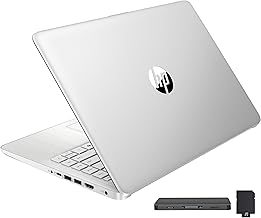
HP Stream BrightView Laptop — Intel N4120
The honest budget option — limited in power but fully functional for note-taking, cloud-based tasks, and secondary device use.
- Entry-level price makes it accessible to all
- BrightView display reduces eye strain
- Great for cloud-based coursework (Google Docs, OneDrive)
- Very lightweight for portability
- Works as a reliable secondary or backup machine
- Intel N4120 is entry-level — not suited for heavy workloads
- Limited storage capacity
- Not ideal as your only MBA laptop
- RAM ceiling limits multitasking
We include the HP Stream here with important caveats. The Intel N4120 processor is a budget chip — it handles light office tasks, cloud-based applications, and document editing without complaint, but it will struggle noticeably the moment you push it toward heavier MBA workloads: complex financial models, statistical software like SPSS or Stata, or running multiple resource-hungry applications simultaneously.
That said, there’s a legitimate use case here. If you already own a desktop or another capable machine and need a lightweight companion for lectures and quick note-taking, the HP Stream earns its place. It’s also a reasonable starter device for students in online business degree programs where the workload tends toward reading, writing, and cloud collaboration rather than local computation.
⚠️ Honest Assessment
We would not recommend the HP Stream N4120 as a primary device for a full-time MBA program at a competitive school. The processing power simply isn’t sufficient for the range of technical tasks most programs require. However, as a budget-conscious secondary machine, it genuinely works and won’t break the bank while you save for an upgrade.
Full Laptop Comparison Table
Here’s how all four laptops stack up across the criteria that matter most for MBA students and business professionals:
| Feature | HP Copilot | Windows Business | Lenovo i5 | HP Stream N4120 |
|---|---|---|---|---|
| Best For | Overall MBA Use | Budget-Conscious Value | Portability + Performance | Light / Secondary Use |
| Processor Tier | High | Mid | High (i5-13420H) | Entry (N4120) |
| RAM (Typical) | 16 GB | 8–16 GB | 8–16 GB | 4 GB |
| Storage Type | NVMe SSD | SSD | NVMe SSD | eMMC |
| Display Quality | FHD IPS | FHD | FHD | HD BrightView |
| Battery (Real World) | ~10 hrs | ~9 hrs | ~10 hrs | ~8 hrs |
| Weight Class | Standard Business | Lightweight | Very Lightweight | Ultralight |
| AI Features | ✓ Copilot | ✗ | ✗ | ✗ |
| Excel / Finance Apps | ✓ Excellent | ✓ Good | ✓ Excellent | ✗ Limited |
| Zoom / Video Calls | ✓ Smooth | ✓ Good | ✓ Smooth | ⚠ Acceptable |
| Recommended For | Full MBA + Career | Budget-Conscious MBA | MBA + Business Travel | Online Classes / Notes |
| Price Range | Premium | Mid-Range | Mid–High | Entry |
The comparison makes one thing clear: the HP Copilot and Lenovo i5 are the true workhorses here, with the Windows Business Laptop providing strong mid-range value and the HP Stream filling a very specific budget niche. If your program involves data-heavy coursework — which most top MBA programs do — don’t compromise on the processor and RAM tiers.
How MBA Coursework Actually Tests Your Laptop
Understanding what an MBA program actually demands from your hardware changes how you evaluate specs. It’s not abstract benchmark scores that matter — it’s whether your machine survives contact with a real academic workload.
Finance and Accounting Courses
This is where laptops get stress-tested. Finance-heavy MBA programs require running multi-sheet Excel workbooks with complex pivot tables, VBA macros, and real-time data feeds. Understanding concepts like the accounting equation and double-entry bookkeeping is one thing; building a live model that calculates them across 10,000 rows is another. That task demands real processing power and sufficient RAM so applications don’t hang.
For accounting and financial analysis modules, you’ll frequently be asked to read and interpret balance sheets, income statements, and cash flow statements. Doing this analysis in real time during case discussions requires a display that renders clearly, a processor that doesn’t lag, and enough RAM to have multiple files and browser tabs open simultaneously.
Strategy and Management Coursework
Strategy courses involve reading, writing, and presenting — but the volume is deceptive. You’ll process multiple 20–40-page case studies weekly, draft lengthy analytical memos, and build presentation decks that must look genuinely professional in front of faculty and visiting executives. The case study method is cognitively demanding, and your laptop needs to support the research process — multiple browser windows, academic database access, and simultaneous writing — without slowing you down.
When exploring management frameworks — from McGregor’s Theory X and Y to Maslow’s hierarchy — you’ll be taking notes, annotating PDFs, and building reference documents simultaneously. A keyboard that types well and a fast enough system to prevent that frustrating split-second lag between thought and screen output makes a genuine difference to your quality of work.
Entrepreneurship and Innovation Labs
Many MBA programs now include innovation labs, startup challenges, and pitch competitions. These require design tools, video editing for pitch reels, and sometimes basic prototyping software. While this doesn’t demand a dedicated GPU, it does require a machine that can run creative tools smoothly alongside the standard office suite. The HP Copilot and Lenovo i5 handle this comfortably; the HP Stream does not.
For anyone exploring the startup and investment side of business, our resources on wealth management strategies and real estate investing complement the entrepreneurship content in most MBA programs.
Battery Life and Portability: The Unsung Heroes of MBA Productivity
In academic marketing materials, laptops are photographed on clean desks with a charger conveniently nearby. In real MBA life, your laptop needs to survive eight consecutive hours of classes, study rooms, library sessions, and team meetings — and those spaces don’t always have power outlets.
As the chart illustrates, the Lenovo i5 hits the sweet spot most MBA students actually want: competitive battery life without the weight burden. The HP Copilot trades slightly more weight for higher performance, but its battery holds up well through a full academic day. The HP Stream is the lightest option but, because of its lower-powered processor, it doesn’t necessarily translate to superior battery longevity.
Portability has a compounding effect on your productivity. A laptop you actually want to carry everywhere becomes the machine you use everywhere — during lectures, in team study rooms, at coffee shops, and during internship commutes. A laptop you hesitate to bring because it’s heavy stays home and creates friction. If you’re shopping for complementary gear, a good pair of noise-cancelling headphones and a well-organized desk setup multiply your work environment’s effectiveness.
The best MBA laptops for portability in this list also benefit from modern charging standards. USB-C Power Delivery means you can top up from any compatible charger — including your phone’s travel adapter in a pinch — which dramatically reduces the anxiety of arriving somewhere without your specific power brick.
Software, Tools & Ecosystem: What Your MBA Laptop Must Run
Choosing a laptop isn’t only about hardware. The software ecosystem your machine runs — and how well — often determines whether you’re productive or frustrated. Here’s what the real MBA toolkit looks like, and how each machine handles it:
The software stack above covers nearly everything you’ll encounter in a competitive MBA program. Notice that the analytics column contains the most resource-intensive applications — Python, R, SPSS, and Stata all benefit substantially from more RAM and a faster CPU.
For accounting software users, tools like QuickBooks vs. Xero are worth comparing before your program starts — and understanding which runs more smoothly on lower-spec machines. Similarly, if your program uses tax simulation or CPA-prep software, our breakdown of TurboTax vs. H&R Block gives useful context on how these platforms differ in interface and computational demands.
Decision-making software and CRM tools are increasingly common in MBA innovation and entrepreneurship tracks. Our guide to top CRM platforms for small businesses is useful reading if you’re on a track that intersects with startup management or sales operations.
Finally, productivity and budget management tools — particularly Mint vs. YNAB for personal finance tracking — become important when you’re balancing a student stipend, part-time income, and program expenses. Keeping your finances organized on a laptop that can run these tools alongside your coursework is a genuine quality-of-life win.
Budget Tiers Explained: What You Actually Get at Each Price Point
One of the most common mistakes MBA students make when purchasing a laptop is either overspending on specs they don’t need or underspending and compromising their ability to do the actual work. Here’s a clear-eyed breakdown of what each price bracket genuinely delivers:
The mid-range tier ($400–$900) is where the majority of MBA students will find their best compromise. This bracket covers the Lenovo i5 and Windows Business laptop — both of which handle the full spectrum of MBA coursework without requiring you to take on extra debt for the machine itself.
The premium tier makes sense in specific circumstances: if you’re enrolled in one of the top MBA programs where technical rigor is exceptionally high, if your career path involves intensive data science or consulting work, or if you’re purchasing a device you intend to use for 5+ years rather than just the program.
For those weighing the cost of an MBA against its financial returns, our piece on online business degree costs provides helpful context on where a laptop purchase fits within the larger picture. And if you’re leaning toward an online program to reduce costs, check out our guide to MBA programs without GMAT requirements.
Wherever you land on the budget spectrum, one piece of financial advice applies universally: understand the true total cost of ownership. Factor in the software licenses (Microsoft 365, statistical packages), accessories (mouse, calculators, organizational supplies), and potential repair or upgrade costs over the machine’s lifetime. Our resource on budget creation strategies can help you structure that kind of analysis.
Should MBA Students Consider a Tablet Instead?
The short answer: tablets complement laptops; they rarely replace them for MBA use. While a quality tablet is excellent for reading PDFs, annotating case studies, and casual note-taking, running Excel models with complex formulas, executing Python scripts, or managing a full presentation workflow requires a proper operating system and keyboard. Our guide on the best tablets for students outlines exactly which tasks tablets handle well — and where they fall short compared to a laptop.
Frequently Asked Questions
Shop All Reviewed Laptops