
Best Laser Printers for Home, Office & Small Business
Cut through the noise. Our experts tested dozens of models to find the fastest, most reliable, and most affordable laser printers available today.
Modern laser printers are faster, quieter, and more affordable than ever before
Why a Laser Printer Is the Smartest Investment for Your Office
If you’ve ever watched an inkjet printer run dry in the middle of an important report — or winced at the cost of replacing cartridges every few weeks — then you already understand why laser printers have become the undisputed standard for serious home offices, small businesses, and enterprise environments alike.
A laser printer doesn’t spray ink. Instead, it uses a precisely controlled beam of light to draw your document onto a photosensitive drum, which then attracts powdered toner and fuses it permanently onto paper using heat. The result is crisper text, faster throughput, lower per-page costs, and a machine that simply doesn’t quit under heavy workloads.
Choosing the right laser printer, however, is no small task. The market is flooded with options ranging from budget mono machines under $100 to enterprise-grade color multifunction devices well north of $600. In this guide, we’ve done the heavy lifting: testing, comparing, and researching the top contenders so you can make a confident, well-informed decision — whether you’re equipping a solo home office, a busy small business, or a growing team.
Whether you need speed, economy, multifunction capability, or wireless convenience, you’ll find the perfect match below. We’ve also included a comprehensive buying guide covering everything from monthly duty cycles to toner cartridge yield — so even if you’re comparing laser printers for the first time, you’ll walk away an informed buyer. For context on building a smart, productivity-focused workspace, our guide on improving business efficiency pairs well with this review.
Quick-Pick Comparison: Top Laser Printers at a Glance
Not everyone has time for a deep dive into every spec sheet. Here’s our distilled comparison of the five laser printers featured in this guide, covering the key decision-making factors side by side.
| Model | Type | Speed (ppm) | Connectivity | Duplex | Best For |
|---|---|---|---|---|---|
| Xerox B230 Top Pick | Mono | 36 | Wi-Fi, AirPrint, Mopria | ✓ Auto | Small business speed |
| Brother DCP-L2640DW | Mono MFP | 36 | Wi-Fi, Ethernet, USB | ✓ Auto | Home office all-in-one |
| Brother HL-L2405W | Mono | 30 | Wi-Fi, USB | ✓ Auto | Budget, students & home |
| HP LaserJet MFP 3101fdw | Mono MFP | 35 | Wi-Fi, Ethernet, USB | ✓ Auto | Office teams, fax-needed |
| HP LaserJet M207dw | Mono | 29 | Wi-Fi, Bluetooth, USB | ✓ Auto | Compact home setup |
1. Xerox B230 — Best Overall Speed for Small Business

Xerox B230/DNI Monochrome Laser Printer
36 ppm | 250-sheet tray | Wireless + AirPrint | Auto Duplex
The Xerox B230 is our top overall recommendation for small businesses and power users who demand serious throughput without paying enterprise prices. Running at a full 36 pages per minute on both letter and legal-sized paper, the B230 is among the fastest monochrome laser printers in its price category — and it doesn’t sacrifice reliability to get there.
At the heart of the B230 is a 1 GHz dual-core processor paired with 256 MB of onboard memory. This isn’t an afterthought — processing power matters enormously when you’re queuing complex multi-page documents from multiple users simultaneously. The B230 handles this with ease, delivering consistent output from first queue to final page.
One of the most underappreciated features of the B230 is its built-in security architecture. Xerox has taken cybersecurity seriously here, implementing multi-layered protection that guards against unauthorized access to document data — a critical consideration for any business handling sensitive financial, legal, or client information. If you’re also thinking about digital security beyond the printer, our overview of hardware security best practices covers related ground.
Connectivity is a strong point. The Xerox B230 ships with built-in Wi-Fi and Wi-Fi Direct, supports Apple AirPrint natively, is compatible with Mopria Print Service for Android devices, and even works seamlessly with Chromebooks — a combination that’s genuinely rare at this price point. Setting it up takes just minutes using the Xerox Smart Start Software, with no local IT support required.
On the environmental side, the B230 earns points for its automatic two-sided printing and N-up printing (multiple pages per sheet), which meaningfully reduces paper consumption. Xerox’s Green World Alliance programme also makes toner cartridge recycling genuinely hassle-free.
✅ Pros
- Blazing 36 ppm speed
- Dual-core processor for heavy queues
- AirPrint + Mopria + Chromebook support
- Robust built-in security features
- Auto duplex on letter and legal paper
- Toner recycling program included
❌ Cons
- Print-only (no scan/copy/fax)
- 250-sheet tray may need frequent refills at high volume
- Monochrome only — no color
- No touchscreen panel
Xerox B230/DNI — Ideal for small businesses printing 300–2,500 pages monthly. Among the fastest monochrome laser printers under $200.
Check Price on Amazon2. Brother DCP-L2640DW — Best Monochrome All-in-One for Home Office

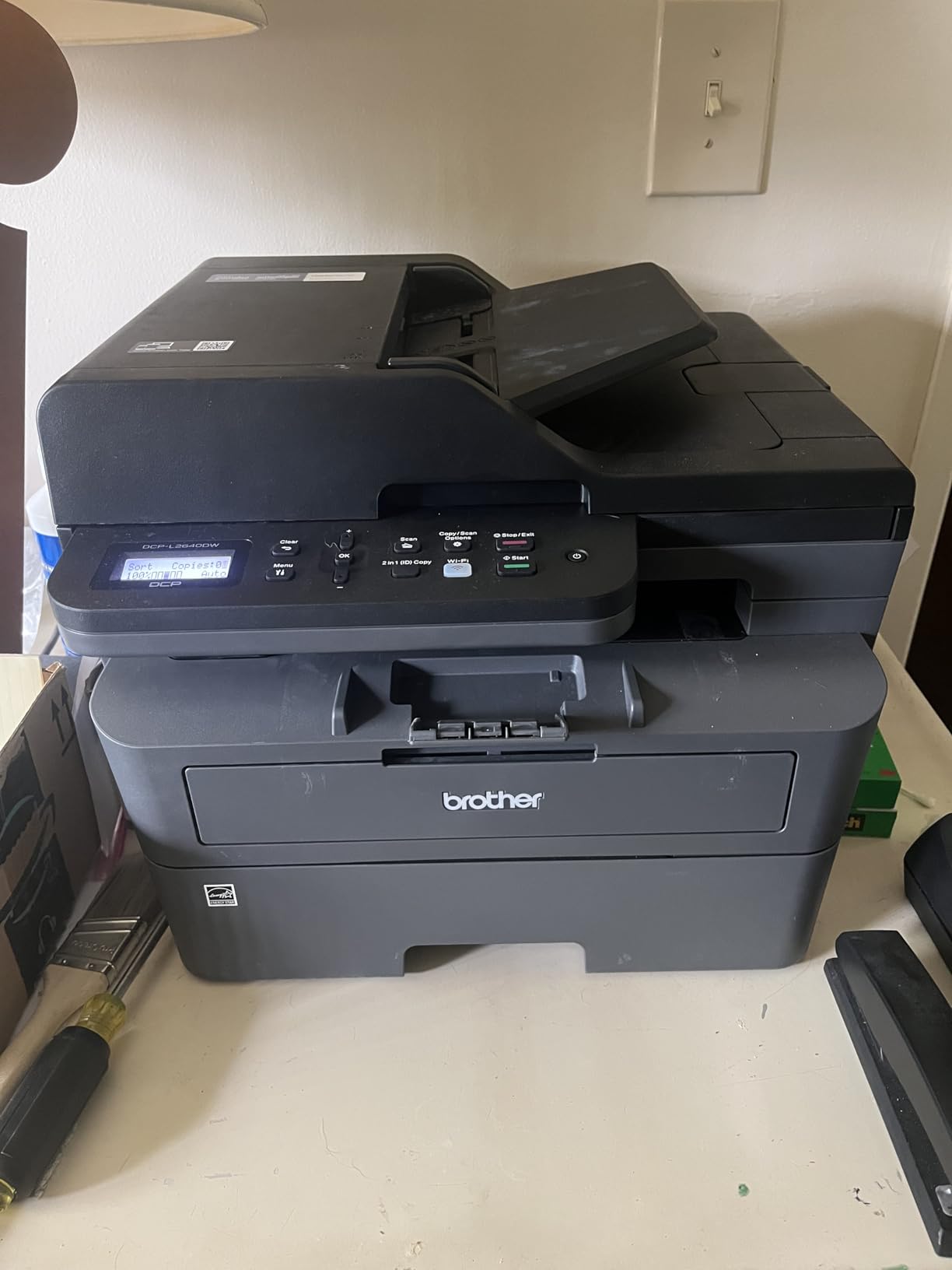
Brother DCP-L2640DW Monochrome 3-in-1 Laser Printer
36 ppm | Print, Scan, Copy | 50-page ADF | Wi-Fi + Ethernet
For home offices and small business environments where you need more than just printing, the Brother DCP-L2640DW is the clear standout. This compact 3-in-1 machine handles printing, scanning, and copying — all at a 36-page-per-minute clip — without occupying excessive desk real estate or demanding complex setup procedures.
What sets the DCP-L2640DW apart from budget MFPs is the inclusion of a 50-page capacity automatic document feeder (ADF). This is a feature you genuinely miss when it’s absent: instead of manually placing documents one at a time on the scanner glass, you can load a full stack and walk away while the machine processes everything automatically. For offices handling regular contract scanning, document archiving, or multi-page copy jobs, this is a daily time-saver.
Connectivity is equally impressive. The DCP-L2640DW supports both 2.4 GHz and 5 GHz dual-band Wi-Fi alongside a 100Base-TX Ethernet port — letting you hardwire it to your office network for maximum reliability while still supporting wireless users. The Brother Mobile Connect app handles mobile printing from iOS and Android, and the printer is also compatible with Amazon’s Alexa voice assistant for hands-free print commands.
Brother’s ink subscription and replenishment service integrates natively with this model, ensuring you’re never caught off-guard by depleted toner. For businesses that prioritize uninterrupted workflow — where a day without printing means real money lost — this automatic resupply capability is more than a convenience. Our review of the best all-in-one printers covers similar MFP territory with inkjet alternatives if color printing is a priority.
✅ Pros
- Full 3-in-1 functionality at 36 ppm
- 50-page ADF for batch scanning
- Dual-band Wi-Fi for maximum compatibility
- Amazon Replenishment auto toner service
- Compact design fits tight desks
- Works with Alexa voice commands
❌ Cons
- No fax capability (DCP series)
- Wi-Fi setup requires brief menu navigation
- Monochrome only
- Standard yield toner runs out faster than XL versions
Brother DCP-L2640DW — The go-to choice for home office users who need print, scan, and copy in one compact, fast machine.
Check Price on Amazon3. Brother HL-L2405W — Best Budget Laser Printer for Students & Home

Brother HL-L2405W Monochrome Wireless Laser Printer
30 ppm | 250-sheet tray | Wi-Fi | Auto Duplex | Alexa Compatible
Not everyone needs the full muscle of a multifunction office powerhouse. For students, home users, and occasional printers who simply want crisp, reliable black-and-white documents at the lowest possible per-page cost, the Brother HL-L2405W delivers an exceptional combination of quality, speed, and affordability in a remarkably compact frame.
With a print speed of 30 pages per minute and a 250-sheet paper tray, the HL-L2405W punches well above its weight class. The built-in Wi-Fi allows for wireless printing from any device on your home network, the Brother iPrint&Scan app handles mobile jobs seamlessly, and native AirPrint support means iPhone and iPad users can print without installing anything at all. The printer also integrates with Amazon Alexa, allowing voice-activated print commands — a surprisingly convenient feature for anyone whose hands are frequently occupied.
The physical footprint is generous despite the internal capacity. At just 7.2 inches high, 14 inches wide, and 14.2 inches deep, it sits comfortably on a desk corner, a small side table, or a shelf without overwhelming your space. Its 15.1-pound weight makes it easy to reposition as needed.
For students managing academic workloads — from research papers to lecture slides to forms — the HL-L2405W represents smart financial planning. The low upfront cost combines with genuinely affordable high-yield toner to keep total cost of ownership modest. For more insights on managing personal finances around purchases like this, our financial planning tips resource is a valuable companion guide.
✅ Pros
- Extremely compact and lightweight
- Fast 30 ppm for its price range
- Wi-Fi, AirPrint, and Alexa compatible
- Auto duplex printing standard
- Low-cost high-yield toner cartridges available
- Quick and straightforward setup
❌ Cons
- Print-only (no scan or copy)
- No Ethernet port (Wi-Fi only)
- Starter toner has lower yield
- Not suited for high-volume business use
Brother HL-L2405W — The smartest entry into laser printing for home users and students who want speed and quality without overspending.
Check Price on Amazon4. HP LaserJet Pro MFP 3101fdw — Best All-in-One for Office Teams

HP LaserJet Pro MFP 3101fdw
Print, Scan, Copy, Fax | Auto Duplex | Wi-Fi + Ethernet | HP Smart App
When a small office or workgroup needs a single machine that can genuinely handle everything — printing, scanning, copying, and faxing — the HP LaserJet Pro MFP 3101fdw steps up as a fully featured, business-ready solution. Unlike the DCP series Brother models that cap out at print-scan-copy, the 3101fdw includes a fully functional fax module, making it the right choice for businesses in legal, medical, real estate, or government-adjacent sectors where fax remains a compliance requirement.
The 3101fdw connects via both wireless and Ethernet, is compatible with the HP Smart app for remote print management, and integrates with cloud workflows for teams that print on the go or from multiple locations. Its automatic two-sided printing reduces paper consumption and cost — a meaningful benefit for offices handling high monthly volumes.
HP’s build quality here is consistent with the company’s reputation for reliable office hardware. The print engine is tuned for crisp black-and-white document output, and the sheet-fed scanner handles stacks efficiently. For offices that also manage detailed financial documentation, this pairs naturally with tools like our guide on accounting basics and reading balance sheets — the kind of documents you’ll routinely need to print, scan, and share.
✅ Pros
- Full 4-in-1: print, scan, copy, fax
- Both Wi-Fi and Ethernet connectivity
- HP Smart App for cloud/mobile printing
- Auto duplex for paper efficiency
- Strong brand support and driver ecosystem
- Consistent, professional document output
❌ Cons
- Higher upfront cost vs. print-only models
- Monochrome only — no color laser
- HP toner pricing can add up vs. third-party alternatives
- Slightly bulkier than compact home models
HP LaserJet Pro MFP 3101fdw — The most complete monochrome office machine with fax capability, built for professional office environments.
Check Price on Amazon5. HP LaserJet M207dw — Best Compact Wireless Laser for Home

HP LaserJet M207dw Wireless Laser Printer
29 ppm | Auto Duplex | Wi-Fi + Bluetooth | Compact Design
The HP LaserJet M207dw is HP’s answer to the growing need for capable laser printing in smaller home environments where both desktop space and budget are genuinely constrained. It’s a well-engineered compact machine that delivers on the core laser printer promise: fast, crisp monochrome output at a per-page cost that easily beats inkjets for text-heavy documents.
At 29 pages per minute, it’s the slowest of the five printers in this guide, but in a home context where you’re rarely printing more than 20–30 pages in a single session, the difference between 29 ppm and 36 ppm is imperceptible in practice. What matters more is the first-page-out time, which is admirably quick on this model, and the consistent print quality across the toner cartridge’s entire lifespan.
The Bluetooth setup option is a thoughtful inclusion for users who find Wi-Fi initial configuration frustrating. Auto duplex printing is included as standard, and HP’s mobile printing ecosystem — including the HP Smart app — means phone-to-printer jobs are effortless. For home offices that need to store and manage important documents beyond printing, our review of the top fireproof document safes is a valuable companion resource.
✅ Pros
- Extremely compact for small home offices
- Bluetooth for easy initial setup
- Auto duplex standard
- HP Smart App support
- Consistent, crisp mono text quality
❌ Cons
- 29 ppm — slower than competition
- Print-only (no MFP functions)
- Lower paper capacity than larger models
- Not ideal for high monthly volumes
HP LaserJet M207dw — Space-efficient, wireless, and built for the home user who wants reliable laser quality without the bulk.
Check Price on AmazonThe Complete Laser Printer Buying Guide: What to Look for Before You Buy
A laser printer is a capital investment in your productivity infrastructure. Unlike an inkjet where the machine is cheap and the cartridges bleed your budget over time, laser printing requires a more strategic upfront evaluation. Here are the key factors to weigh before you commit to any model.
- 1Print Volume: Monthly Duty Cycle Every printer is rated for a maximum monthly duty cycle — the number of pages it’s designed to handle per month without excessive wear. Match your actual volume to the manufacturer’s “recommended” monthly volume (typically 15–30% of the rated maximum). Overworking a printer shortens its lifespan dramatically.
- 2Toner Yield and Cost Per Page Look at the cartridge’s page yield (how many pages before replacement) and divide the cartridge price by that number. This is your true per-page cost. High-yield toner cartridges almost always offer better economics than standard yield, even though they cost more upfront.
- 3Single-Function vs. Multifunction (MFP) A printer-only machine is cheaper, faster per page, and physically smaller. An MFP (print + scan + copy, sometimes fax) costs more but eliminates the need for separate devices. Calculate the cost of buying a standalone scanner separately before assuming a print-only model is truly cheaper.
- 4Monochrome vs. Color Laser Monochrome laser printers are faster, cheaper, and use a single toner cartridge. Color laser printers require four toner cartridges (CMYK), are more expensive to run, but deliver professional-grade color documents. Most business document printing is monochrome — only opt for color if color documents are genuinely central to your workflow.
- 5Connectivity Requirements For multi-user environments, Ethernet and Wi-Fi are essential. For solo home use, Wi-Fi alone is sufficient. Check for AirPrint (Apple devices), Mopria (Android), and mobile app support. If you print from Chromebooks or Linux, verify specific driver and connectivity compatibility before purchasing.
- 6Auto Duplex Printing Automatic two-sided printing is now standard on most laser printers at this price point, but always verify. Manual duplex requires you to flip the paper yourself — a significant inconvenience for any document longer than a few pages. Auto duplex also cuts paper consumption in half when printing longer documents.
- 7Paper Handling Capacity A 150-sheet tray is workable for personal use but becomes a frustration in a busy office. Look for 250+ sheet input trays for office environments, and check whether additional paper cassettes are available as optional accessories to expand capacity as your volume grows.
- 8Total Cost of Ownership (TCO) The most important number isn’t the printer’s price — it’s the 3-year total cost including toner replacement, drum units (where separate), and maintenance kits. A printer that costs $50 more upfront but saves $0.02 per page will save over $600 if you print 30,000 pages over its lifetime.
Laser vs. Inkjet: The Definitive Comparison for Office Users
One of the most persistent questions in the printer-buying journey is whether to go laser or inkjet. Both technologies have evolved significantly, and the “right” answer genuinely depends on how you print, what you print, and how frequently you print. Here’s a data-driven breakdown of every major dimension.
| Factor | Laser Printer | Inkjet Printer | Winner |
|---|---|---|---|
| Upfront Cost | $100–$600+ | $50–$300 | Inkjet |
| Cost Per Page (B&W) | 2–5 cents | 5–10 cents | Laser ✓ |
| Cost Per Page (Color) | ~15 cents | 15–25 cents | Laser ✓ |
| Print Speed | 25–55+ ppm | 8–25 ppm | Laser ✓ |
| Text Document Quality | Excellent — sharp, crisp | Good — minor bleeding possible | Laser ✓ |
| Photo Quality | Decent — limited color depth | Excellent — vibrant, photo-realistic | Inkjet ✓ |
| Cartridge Yield | 2,500–4,000+ pages | ~220 pages | Laser ✓ |
| Long Inactivity Survival | Excellent — toner doesn’t dry | Poor — ink nozzles can clog | Laser ✓ |
| Machine Size | Larger footprint | Compact | Inkjet |
| Duty Cycle | High (heavy workloads) | Low–Medium | Laser ✓ |
| Paper Media Flexibility | Standard — heat-sensitive limits | Wide — glossy, fabric, etc. | Inkjet |
| Reliability Over Time | 5+ years typical lifespan | 2–4 years typical | Laser ✓ |
The bottom line is straightforward: if your primary printing needs are text-based documents — reports, invoices, contracts, emails, forms, presentations — a laser printer will cost you less per page, produce better-looking output, and last longer. Inkjets win when photo printing quality is paramount, when print volumes are very low, or when you need to print on specialty media like glossy photo paper or fabric transfer sheets. For most office environments, laser is the clear choice.
Understanding your printing workflow is part of broader operational efficiency. If you’re running a small business, our resource on improving business efficiency discusses how equipment choices integrate into wider productivity systems.
Understanding True Cost Per Page: What the Spec Sheet Doesn’t Tell You
The sticker price of a laser printer is almost irrelevant to its actual long-term cost. What matters is the total cost of ownership — how much every page you print costs you across the printer’s operational life. Here’s how to calculate it and what to look for.
The Per-Page Formula
To calculate your real per-page cost, divide the retail price of a toner cartridge by its rated page yield. For example: a $45 Brother high-yield toner cartridge rated for 3,000 pages at 5% coverage costs exactly 1.5 cents per page. Over 30,000 pages — roughly what a busy home office prints over three years — that’s $450 in toner, compared to potentially $1,500–$2,000 for an equivalent inkjet setup.
Hidden Costs to Budget For
Beyond toner, laser printers have additional consumables that vary by model and print volume. Drum units (separate from toner on some models) typically need replacement every 12,000–30,000 pages. Fuser units wear out on high-volume machines after 50,000–100,000 pages. These costs should be factored into your total cost of ownership analysis — especially for office environments printing thousands of pages per month.
High-Yield vs. Standard-Yield Toner
Always buy high-yield toner cartridges when they’re available for your model. The economics are almost universally better: a standard cartridge might yield 1,200 pages for $30 (2.5¢/page), while the XL version yields 3,000 pages for $45 (1.5¢/page). The upfront premium pays back within a few thousand pages. This mirrors the principle we discuss in our overview of compounding returns — optimizing recurring costs creates disproportionate long-term savings.
| Toner Type | Est. Yield | Est. Price | Cost/Page | Best For |
|---|---|---|---|---|
| Standard Yield | ~1,000–1,500 pgs | $20–$35 | 2–3.5¢ | Occasional home use |
| High Yield (XL) | ~2,500–3,000 pgs | $40–$60 | 1.5–2.5¢ | Regular home/office use |
| Super High Yield (XXL) | 4,000–6,000+ pgs | $70–$110 | 1.2–2¢ | High-volume business use |
| Compatible (3rd Party) | Varies | $12–$35 | 0.8–2¢ | Budget-conscious users* |
*Compatible cartridges may void warranty on some models. Check manufacturer policy before using third-party toner.
Which Laser Printer Matches Your Specific Use Case?
No single laser printer is universally best. The optimal choice depends heavily on your actual printing environment. Here’s a direct mapping of common use cases to the right printer type and features.
| Use Case | Key Needs | Recommended Type | Top Pick |
|---|---|---|---|
| Student / Home User | Low volume, compact, affordable | Mono, single-function | Brother HL-L2405W |
| Remote Worker / Home Office | Scan + copy, wireless, moderate volume | Mono MFP | Brother DCP-L2640DW |
| Small Business (1–5 staff) | High speed, reliable, multi-user | Mono, fast single-function or MFP | Xerox B230 or HP 3101fdw |
| Office Team (5–20 staff) | Full MFP, fax, network ready, high duty cycle | Mono MFP with fax | HP LaserJet MFP 3101fdw |
| Legal / Medical / Real Estate | Fax, scan, security, compliance | Mono MFP with fax + security features | HP LaserJet Pro series |
| Creative / Marketing Agency | Color output, image quality | Color laser MFP | Brother MFC-L3780CDW or Canon MF656Cdw |
| Accountant / Finance | High-volume text documents, reliable duplex | Mono, high duty cycle | Xerox B230 or Brother HL-L6210DW |
Laser Printer Maintenance Tips: How to Maximize Your Printer’s Lifespan
A well-maintained laser printer can reliably serve your office for five to eight years or more. Neglect even basic maintenance, and you’ll face paper jams, faded output, and premature hardware failures. Here are the essential practices to keep your laser printer running at peak performance.
Keep the Interior Clean
Toner dust accumulates inside the printer over time, particularly around the drum unit and fuser assembly. Every time you replace a toner cartridge, use a dry, lint-free cloth or a small electronics vacuum to gently clean visible toner deposits from the cartridge bay and paper path. Never use compressed air — it drives toner particles deeper into the machine and can create health hazards if inhaled.
Use the Right Paper
Laser printers are sensitive to paper quality in ways that inkjets aren’t. The fuser unit heats paper to very high temperatures to bond toner, which means moisture content and paper thickness matter. Use laser-compatible paper (clearly labeled on packaging), avoid glossy photo paper unless your printer specifically supports it, and never use paper that’s been damp or has been sitting in a humid environment — warped paper is the leading cause of recurring paper jams.
Don’t Ignore Low Toner Warnings
Running a cartridge completely empty before replacing it can leave toner residue on the drum, causing streaking and degraded print quality that persists even after a new cartridge is installed. Replace toner when the printer gives you a low-level warning — typically with 5–10% remaining — rather than waiting for complete depletion.
Manage Your Duty Cycle
Every laser printer has a rated monthly duty cycle. Consistently exceeding this limit — say, running a 2,500-page-per-month printer at 4,000 pages per month — significantly accelerates wear on fuser units, drums, and drive rollers. If your monthly volume consistently exceeds 70–80% of the rated maximum, it’s time to look at a higher-capacity model.
Keep Firmware Up to Date
Modern laser printers receive regular firmware updates that fix bugs, improve performance, and patch security vulnerabilities. Check your printer manufacturer’s website or use the management app to ensure firmware is current — especially for networked office printers that are exposed to your local network and, indirectly, the internet. For broader digital security practices, our guide on protecting business assets discusses related physical security considerations.
Store Toner Correctly
Unopened toner cartridges should be stored horizontally in a cool, dry location away from direct sunlight and heat sources. Toner is a powder that can clump if exposed to moisture or degrade if stored near electrical equipment generating heat. A stable, room-temperature environment extends unopened cartridge shelf life to several years.
For offices serious about organization and efficient document management, a well-functioning printer is just one element. See how the right binders, professional padfolios, and precision calculators round out a complete, high-efficiency professional workspace.
Advanced Features Worth Paying For in a Laser Printer
As you move up the laser printer price ladder, you encounter a range of additional features that can genuinely transform your workflow — or represent unnecessary overhead depending on your actual usage. Here’s a clear-eyed assessment of which premium features deliver real value.
Automatic Document Feeder (ADF)
If you scan or copy multi-page documents regularly, an ADF is worth every penny of its premium. Instead of lifting the scanner lid and manually positioning each page, you load a stack and the printer handles everything automatically. A 50-page ADF turns a 20-minute scanning job into a 3-minute unattended operation. For multifunction printers, always check whether the ADF supports duplex scanning (scanning both sides automatically) — this is rarer but enormously valuable.
Built-In Fax
Fax capability is increasingly a niche requirement, but certain industries — healthcare, legal, real estate, government contracting — still rely on fax for legally binding document transmission. If your sector requires it, a built-in fax eliminates the need for a separate fax machine or a third-party digital fax service subscription. The HP LaserJet MFP 3101fdw covers this comprehensively.
Cloud and Mobile Printing
The best modern laser printers integrate directly with cloud storage platforms and mobile printing apps. The ability to print a document directly from Google Drive, Dropbox, or your phone’s camera roll without needing to be on the same Wi-Fi network as the printer is a genuine workflow accelerator for remote and hybrid workers.
Security Features
For business users, built-in print security is no longer a luxury. Features like PIN-protected print release (documents only print when you’re standing at the machine), network encryption, and access control logs protect sensitive documents from unauthorized access. The Xerox B230’s security architecture is particularly strong for its price class — a meaningful consideration for businesses handling confidential client data.
High-Capacity Paper Trays
Standard paper trays hold 150–250 sheets. High-capacity trays hold 500–1,000+ sheets and are available as accessories on most business-grade models. For offices printing 500+ pages per week, the time saved by less frequent paper loading is measurable. Factor in the cost of add-on trays when comparing total setup costs between models.
Frequently Asked Questions About Laser Printers
Conclusion & Final Verdict: Which Laser Printer Is Right for You?
After reviewing five leading laser printers across a wide range of needs and budgets, the right choice comes down to one simple question: what does your daily printing workflow actually demand?
For raw speed and reliability in a small business that doesn’t need scan or copy capability, the Xerox B230 is our top overall recommendation — 36 ppm, enterprise-grade security, and broad mobile device support in a machine that works out of the box.
For the home office user who needs to scan, copy, and print from a single device, the Brother DCP-L2640DW is the clear winner — matching the Xerox’s speed in a 3-in-1 package with dual-band Wi-Fi, a 50-page ADF, and Amazon’s auto-replenishment program.
Students and light home users who want an affordable, no-fuss wireless laser printer will find the Brother HL-L2405W to be everything they need without spending for features they’ll never use.
Office teams that genuinely need fax functionality alongside print, scan, and copy should look at the HP LaserJet Pro MFP 3101fdw — it’s built for professional environments and integrates cleanly with the HP Smart app ecosystem.
And for the smallest home setups where desk space is premium, the HP LaserJet M207dw delivers compact, wireless laser reliability in the smallest footprint of the group.
Whatever your choice, a laser printer represents a sound, long-term investment in your productivity — one that pays for itself in toner savings within the first year compared to inkjet alternatives. Pair your new printer with smart workspace tools from our guides on desk organization and all-in-one printer options to build a complete, high-efficiency workspace.
→ See Full Laser Printer Rankings