Personal Capital vs Mint: Which One Should Manage Your Money Now That Mint Is Gone?
A side-by-side breakdown of features, fees, security, and real-world usability — built for anyone trying to figure out what to use after Mint’s shutdown, and whether a Personal Capital-style wealth dashboard fits how you actually manage money.

Why This Comparison Still Matters
If you’ve typed “Personal Capital vs Mint” into a search bar, you’re probably trying to solve one of two problems. Either you’re a long-time Mint user who got the shutdown notice and needs a new home for your financial data, or you’re someone comparing two of the most talked-about personal finance platforms of the last decade and trying to figure out which philosophy of money management fits your life better.
Both names carry a lot of weight in the personal finance world. Mint, for years, was the free budgeting app that introduced millions of people to the idea of linking their bank accounts to a single dashboard. Personal Capital (now operating under the Empower brand for its free tools) took a different approach entirely — it leaned into net worth tracking, investment analysis, and a wealth-management mindset rather than pure budgeting.
This guide walks through every angle of the comparison: the history of each tool, how their core features stack up, what they cost (including the parts that aren’t obvious from the homepage), how secure your data actually is, and — most importantly — which one actually fits your financial habits. Along the way, we’ll also point you toward a few practical resources, including guides on financial planning tips and where to invest your money, since the “right” budgeting tool is really just one piece of a bigger financial picture.
One thing worth saying upfront: this isn’t a case of one tool being objectively “better” in every category. Mint and Personal Capital were built for different jobs. Mint was a budgeting and bill-tracking tool with investment features bolted on. Personal Capital was an investment and net-worth tool with budgeting features bolted on. Once you frame it that way, a lot of the confusion around “which one should I pick” starts to clear up.
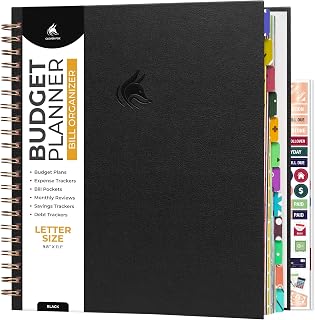
Track Your Spending Offline Too
Pair any budgeting app with a physical finance journal to plan goals, track debt payoff, and review monthly progress.
View on Amazon →Personal Capital and Mint at a Glance
Before diving into the details, here’s a quick snapshot of how these two platforms are positioned. Keep in mind that “Mint” in this article refers to the platform as it existed before its discontinuation, since many people are still comparing it from memory or researching what to do with their old Mint data.
| Feature | Personal Capital (Empower) | Mint (Legacy) |
|---|---|---|
| Primary Focus | Net worth & investment tracking | Budgeting & bill tracking |
| Cost of Core Tools | Free | Free (with ads) |
| Paid Tier | Wealth management advisory (asset minimums apply) | None — fully free |
| Account Aggregation | Yes, via Yodlee/Plaid-style linking | Yes, via Yodlee |
| Investment Fee Analyzer | Yes — detailed | Limited |
| Retirement Planner | Yes — robust simulator | Basic goal tracking |
| Bill Negotiation Tools | No | Yes (via partner integrations) |
| Credit Score Monitoring | No (in most versions) | Yes |
| Status | Active | Discontinued / migrated users |
If you’re coming from a more accounting-heavy background, this comparison shares some DNA with how people evaluate brokerage platforms — for instance, our breakdown of Fidelity vs Charles Schwab follows a similar “different philosophies, different ideal users” structure.
A Quick History of Both Tools
Understanding where these platforms came from helps explain why they feel so different to use today.
Mint’s Origin Story
Mint launched in the late 2000s with a simple pitch: connect your bank accounts, and the app would automatically categorize your spending, show you where your money was going, and alert you to unusual charges or upcoming bills. It was acquired by Intuit (the company behind QuickBooks and TurboTax) and became one of the most downloaded finance apps for over a decade. Its free, ad-supported model made it accessible to anyone, regardless of account balance.
Eventually, Intuit announced it would be sunsetting Mint and encouraging users to migrate to Credit Karma (which Intuit also owns) for budgeting-adjacent features, though Credit Karma’s tools are oriented more around credit monitoring than full budgeting.
Personal Capital’s Origin Story
Personal Capital launched a few years after Mint with a different audience in mind — people who had enough investable assets that they wanted a clearer picture of their portfolio performance, fees, and overall net worth across multiple accounts (401k, IRA, brokerage, banking, real estate, etc.). The free dashboard was essentially a lead-generation tool for its paid wealth management service, but the free tools themselves became genuinely popular on their own merits.
Personal Capital was acquired by Empower (a major retirement and financial services company), and the consumer-facing free tools have continued to operate, now often branded under the Empower Personal Dashboard name, though many users and search queries still refer to it as “Personal Capital.”
Core Feature Comparison
Let’s break down the actual feature sets in more detail. This is where the “different tools for different jobs” framing really starts to show.
Account Aggregation
Both platforms work by linking to your bank, credit card, loan, and investment accounts through a third-party aggregation service. Once linked, transactions and balances sync automatically (usually once or a few times per day, not in real time). Mint supported an enormous range of institutions because of its long history and large user base, while Personal Capital’s linking tends to be especially strong for investment and retirement accounts — brokerages, 401k providers, and HSA custodians.
Transaction Categorization
Mint’s categorization engine was its bread and butter. It auto-sorted transactions into categories like groceries, dining, utilities, and subscriptions, and let users create custom categories and rules. Personal Capital also categorizes transactions, but the categorization is noticeably less granular — it’s adequate for a high-level spending overview but not built for the kind of detailed budget-line management that dedicated budgeters want.
Net Worth Tracking
This is where Personal Capital shines. The net worth dashboard pulls together every linked account — checking, savings, credit cards, loans, investments, even manually-added assets like real estate or vehicles — into a single number that updates as your balances change. Mint had a basic net worth view too, but it was a secondary feature rather than the centerpiece of the experience.
Goal Setting
Mint allowed users to set savings goals (emergency fund, vacation, down payment) with progress bars. Personal Capital’s goal-setting is tied more closely to its retirement planner — you can model scenarios like “What if I retire at 60 instead of 65?” or “What if the market drops 20% next year?” and see how it affects your projected outcomes.
| Capability | Personal Capital | Mint |
|---|---|---|
| Detailed budget categories | Basic | Extensive |
| Net worth dashboard | Comprehensive | Basic |
| Investment performance tracking | Detailed (vs benchmarks) | Minimal |
| Retirement planning simulator | Advanced | Not available |
| Bill reminders | Limited | Robust |
| Manual asset entry (real estate, vehicles) | Yes | Limited |
For people who want to understand the broader accounting concepts behind “net worth” as a metric, our guide on the accounting equation and our piece on understanding balance sheets both explain the assets-minus-liabilities logic that net worth dashboards are essentially automating for your personal finances.
Budgeting Tools Compared
If your main goal is day-to-day budgeting — knowing how much you spent on dining out this month, catching subscription creep, or sticking to a category-based plan — this is the section that matters most.
Mint’s Budgeting Approach
- Category-based monthly budgets with visual progress bars
- Automatic flagging of “trending” categories where spending is rising
- Bill due-date tracking with notifications
- Subscription tracking to surface recurring charges
- Custom tags and category renaming for personalized tracking
Personal Capital’s Budgeting Approach
- A simplified “spending” view showing income vs expenses over time
- Cash flow analysis comparing months side by side
- Categorization that’s useful for trends but not granular enough for zero-based budgeting
- No dedicated bill-pay reminder system comparable to Mint’s
If you’re someone who lives by a detailed monthly budget — every dollar assigned to a category, tracking down to the cent — Mint’s approach (and similar tools) will feel more natural. Personal Capital’s budgeting view is more of a “rear-view mirror” than a planning tool. For a deeper dive into how budgeting categories should actually be structured, our article on what to prioritize when creating a budget is a useful companion read.

A Reliable Calculator for Budget Math
Sometimes a quick physical calculator is faster than tapping through an app for budget math and bill splitting.
View on Amazon →Investment Tracking and Net Worth Analysis
This is the category where the gap between the two platforms is widest — and where Personal Capital’s roots as an investment-advisory lead-gen tool actually become a major advantage for the end user.
Portfolio Analysis Tools
Personal Capital’s investment dashboard includes an “Investment Checkup” feature that compares your actual asset allocation against a target allocation based on your goals and risk tolerance. It also includes a fee analyzer that estimates how much you’re paying in fund expense ratios over time — a number that’s often surprisingly large and rarely surfaced by brokerage platforms themselves.
Retirement Planner
The retirement planning tool runs Monte Carlo-style simulations using your current accounts, contributions, and assumed retirement age to estimate the probability of your savings lasting through retirement. You can adjust variables — retirement age, spending levels, Social Security timing — and see how the probability changes in real time.
If retirement modeling is a priority for you, it’s worth reading our guide on how much you should save for retirement alongside whatever projections a tool like this generates, since automated tools are only as good as the assumptions you feed them.
Where Mint Falls Short Here
Mint’s investment tracking was largely limited to showing account balances and very basic performance over time. It didn’t offer fee analysis, allocation comparison, or retirement simulation. For users whose primary accounts were checking, savings, and credit cards, this didn’t matter much. For users with significant 401k, IRA, or brokerage holdings, it was a meaningful gap.
| Investment Feature | Personal Capital | Mint |
|---|---|---|
| Asset allocation breakdown | Yes, with target comparison | Basic pie chart only |
| Expense ratio / fee analysis | Yes, detailed | No |
| Retirement probability simulator | Yes (Monte Carlo style) | No |
| Portfolio vs benchmark comparison | Yes | No |
| Holdings-level detail | Yes | Limited |
For users actively building out an investment strategy, it’s also worth comparing how this stacks up against dedicated investment vehicles — see our guides on index funds vs mutual funds and ETFs vs mutual funds for the underlying product comparisons that a tool like this is helping you monitor.
Pricing, Fees, and Hidden Costs
On paper, both tools are “free.” In practice, the way they make money shapes the experience in ways worth understanding.
How Mint Made Money
Mint was supported by advertising and financial product referrals. Within the app, users would see ads for credit cards, loans, and other financial products, often “personalized” based on spending patterns. This is the trade-off of the ad-supported free model — the product is free, but your attention (and to some extent your data) is the product.
How Personal Capital Makes Money
Personal Capital’s free dashboard exists primarily to identify users with significant investable assets and connect them with the company’s paid wealth management advisory service. If your linked accounts show a substantial portfolio, you may receive calls or emails from advisors pitching the paid service, which typically charges an annual percentage fee on assets under management.
You are never required to use the paid advisory service to keep using the free dashboard — but the sales outreach is a well-documented part of the experience, and some users find it more intrusive than Mint’s advertising ever was.
For a broader look at minimizing the cost of managing your finances — including software, advisory fees, and tax prep — our comparisons of TurboTax vs H&R Block and TurboTax vs FreeTaxUSA follow a similar “free vs paid trade-off” framework that applies here too.
Security and Data Privacy
Linking your financial accounts to any third-party app is a decision worth taking seriously, and it’s a question both platforms get asked constantly.
How Account Linking Actually Works
Neither platform stores your bank login credentials directly in most cases. Instead, they use aggregation services (commonly Yodlee, Plaid, or similar providers) that act as a secure intermediary between your bank and the app. The app itself typically only sees transaction-level data and balances, not your actual banking password.
Encryption and Account Protection
Both platforms use bank-level encryption (typically AES-256 for data at rest and TLS for data in transit) and support multi-factor authentication. From a pure technical-security standpoint, the two are broadly comparable — the differences tend to show up more in privacy policy and data-usage practices than in encryption strength.
Data Usage Differences
Mint’s parent company has historically used aggregated, anonymized spending data for market research products — a fairly common practice across the fintech industry, but one some users are uncomfortable with regardless of anonymization. Personal Capital’s data usage is more focused on its own internal analytics and lead generation for advisory services rather than third-party data products, though privacy policies can and do change, so it’s worth reviewing the current policy directly on each provider’s site before linking accounts.
If physical document security is also part of your broader financial organization plan, our reviews of top fireproof document safes for home and the SentrySafe SFW123GDC review cover the offline side of protecting financial records.

Secure Your Financial Paperwork
Digital tools handle your accounts — a fireproof safe handles the paper trail: tax documents, deeds, and statements.
View on Amazon →Mobile App Experience
Most users interact with these tools primarily through their phones, so the mobile experience matters as much as — if not more than — the desktop dashboard.
Mint’s Mobile App
Mint’s mobile app was widely praised for its clean, at-a-glance summary screen: a quick overview of accounts, recent transactions, and budget status. The categorization and budget-editing tools were largely full-featured on mobile, not stripped-down versions of the desktop site.
Personal Capital’s Mobile App
Personal Capital’s mobile app focuses heavily on the net worth and investment dashboards, with the “Daily” feed style summary showing your net worth change, recent transactions, and account balances. The budgeting/cash-flow view is present but secondary to the net worth and investment screens.
Notifications
Mint’s notification system was built around bill due dates, unusual spending, and budget overages — designed to prompt action. Personal Capital’s notifications lean more toward net worth milestones and account sync issues — designed to inform rather than prompt budgeting action.
If you’re managing finances primarily from a phone or tablet and want a device that handles both finance apps and document review well, our roundup of best tablets for students covers devices that work well for this kind of multitasking even outside the academic context.
Pros and Cons Side-by-Side
Personal Capital — Pros
- Best-in-class net worth tracking across all account types
- Detailed investment fee and allocation analysis
- Robust retirement planning simulator
- No advertising clutter in the interface
- Strong for users with diverse account types (real estate, multiple brokerages)
Personal Capital — Cons
- Budgeting/categorization is less granular
- Sales outreach for paid advisory if portfolio is sizable
- No dedicated bill-reminder system like Mint’s
- Less useful if you have minimal investment accounts
Mint (Legacy) — Pros
- Extremely detailed budgeting and categorization
- Strong bill tracking and due-date reminders
- Subscription detection
- Free with no advisory upsell pressure
- Familiar, beginner-friendly interface for years
Mint (Legacy) — Cons
- Discontinued — no longer actively maintained
- Minimal investment analysis tools
- Advertising-heavy interface
- No retirement planning simulator
Who Should Use Which Tool
Given that Mint is no longer an active option for new users, this section is really about two things: deciding whether Personal Capital fits your needs as a Mint replacement, and understanding what kind of user Personal Capital was always best suited for — which helps you judge whether it’s worth your time even if Mint were still around.
Personal Capital Is a Strong Fit If You:
- Have multiple investment accounts (401k, IRA, brokerage, HSA) you want to see in one place
- Care more about the “big picture” — net worth trend over time — than granular monthly budgets
- Are interested in retirement planning and want a free simulation tool
- Want to understand the fees you’re paying on your investments
- Are comfortable potentially receiving advisory outreach (and confident you can say “no thanks”)
You Might Want a Different Tool If You:
- Primarily need detailed category-by-category budgeting (groceries, dining, gas, etc.)
- Rely heavily on bill due-date reminders and subscription tracking
- Have few or no investment accounts to track
- Strongly prefer to avoid any contact from financial advisory services
Quick Recommendation
If your financial life is “a few investment accounts plus everyday banking” and you want one dashboard to see it all, Personal Capital is genuinely useful — and free. If your financial life is “lots of small recurring expenses I need to categorize and control,” you’ll likely want to pair it with (or replace it entirely with) a dedicated budgeting tool. See our comparison of Mint vs YNAB for how a budgeting-first alternative compares.
Best Alternatives Worth Considering
Personal Capital isn’t the only option for former Mint users, and depending on your priorities, one of these might fit better:
YNAB (You Need A Budget)
A paid, subscription-based budgeting tool built around a zero-based budgeting philosophy — every dollar gets assigned a job. Far more hands-on than Mint ever was, but beloved by users who want active control rather than passive tracking. Our full Mint vs YNAB comparison covers this in depth.
Spreadsheet-Based Tracking
For users comfortable with formulas, a well-built spreadsheet in Excel or Google Sheets offers complete customization at zero cost, with no account-linking privacy concerns at all (if done manually) or selective linking via bank export. Our Excel vs Google Sheets comparison can help decide which platform to build it in.
Bank-Native Tools
Many banks now offer their own budgeting and spending-insight tools directly within their apps — not as feature-rich as dedicated apps, but with the advantage of not requiring third-party account linking at all.
Accounting Software (For Side Businesses or Freelancers)
If part of your “personal finance” tracking is actually small-business or freelance income and expenses, a dedicated accounting tool may serve you better than a budgeting app. Our comparisons of QuickBooks vs FreshBooks and QuickBooks vs Xero are good starting points, and our accounting basics 101 guide covers the foundational concepts.

A Reliable Laptop for Financial Tracking
Whether you’re running Personal Capital, spreadsheets, or accounting software, a dependable laptop keeps everything running smoothly.
View on Amazon →How to Migrate Your Financial Data From Mint
If you’re coming from Mint specifically, here’s a practical approach to moving your financial tracking workflow over without losing historical context.
Step 1: Export What You Can
Before any account access changes, export your Mint transaction history (typically available as a CSV/spreadsheet export from account settings) so you have an offline record of your categorized spending history.
Step 2: Set Up Account Linking on Your New Platform
Whether you choose Personal Capital, YNAB, or another tool, re-linking your bank, credit card, and investment accounts is usually the most time-consuming step — budget for some manual verification, especially for less common financial institutions.
Step 3: Recreate Your Budget Categories
If moving to a budgeting-focused tool, recreate your most-used categories first rather than trying to replicate every custom Mint category — most users find their “real” budget only uses 8-12 categories regularly.
Step 4: Set Up Net Worth Tracking
If using Personal Capital, add any manual assets (real estate, vehicles, valuable personal property) to get an accurate net worth figure from day one — this is the step most former Mint users skip and then wonder why their net worth number looks incomplete.
Step 5: Establish New Notification Preferences
Review and customize alert settings on the new platform — don’t assume the defaults match what you had configured in Mint, since notification philosophies differ significantly between budgeting-first and net-worth-first tools, as covered earlier.
Frequently Asked Questions
Is Personal Capital really free?
Yes, the core dashboard — account linking, net worth tracking, budgeting overview, investment analysis, and retirement planner — is free to use. The company also offers a separate paid wealth management advisory service with asset-based fees, but using the free dashboard does not require signing up for it.
What happened to Mint?
Mint was discontinued by its parent company, Intuit, which encouraged users to migrate to Credit Karma for certain features. However, Credit Karma’s tools focus more on credit monitoring than the comprehensive budgeting experience Mint offered, leading many former users to seek alternatives like Personal Capital, YNAB, or spreadsheet-based tracking.
Can I export my old Mint data?
If you still have access to your Mint account before full discontinuation, exporting transaction history as a spreadsheet/CSV is typically possible through account settings. It’s recommended to do this as soon as possible if you haven’t already, since access to discontinued services can be removed without much advance notice.
Does Personal Capital work well for budgeting, or just investments?
Personal Capital includes a spending and cash-flow view, but its categorization is less detailed than dedicated budgeting apps. It’s better described as “good enough for a high-level overview” rather than a replacement for granular, category-based budgeting tools.
Will Personal Capital try to sell me financial advisory services?
If your linked accounts show a meaningful investment portfolio, you may receive outreach from advisors regarding the paid wealth management service. This is a well-known part of the business model. You can decline this outreach and continue using the free tools without restriction.
Is it safe to link my bank accounts to Personal Capital?
Personal Capital uses industry-standard encryption and third-party account aggregation services rather than storing your direct banking credentials in most cases. As with any financial app, review the current privacy policy, enable multi-factor authentication, and periodically audit which accounts remain linked.
What’s the best alternative to Mint for detailed budgeting?
For users who relied on Mint primarily for detailed category-based budgeting and bill tracking, dedicated budgeting apps like YNAB tend to be a closer match in philosophy, though they typically operate on a subscription model rather than being free. See our Mint vs YNAB comparison for details.
Does Personal Capital show credit scores like Mint did?
Credit score monitoring was a feature of Mint in many versions, but it is generally not a core feature of Personal Capital’s free dashboard. Users wanting credit monitoring may need a separate dedicated service for that specific feature.
Can Personal Capital track real estate and other manual assets?
Yes — Personal Capital allows manual entry of assets like real estate, vehicles, and other valuables, which then factor into your overall net worth calculation alongside automatically-linked accounts.
How often does the data sync from my linked accounts?
Both platforms historically synced linked account data periodically (often a few times per day) rather than in true real time. If you make a transaction, it may take some time to appear in the dashboard, which is normal behavior for aggregation-based finance apps.
Is Personal Capital good for small business or freelance finances?
Personal Capital is designed around personal finance and net worth, not business accounting. Freelancers and small business owners needing income/expense tracking, invoicing, or tax preparation features are generally better served by dedicated accounting software, such as the options compared in our QuickBooks vs FreshBooks guide.
Should I use both a budgeting app and Personal Capital together?
Many users do exactly this — using Personal Capital for the net worth and investment “big picture” while using a separate budgeting tool (or spreadsheet) for granular monthly category tracking. There’s no restriction against linking the same accounts to multiple aggregation services, though it does mean managing notification preferences across more than one app.
Final Verdict: Which One Wins?
The honest answer is that “Personal Capital vs Mint” was never really an apples-to-apples fight — it was a comparison between a wealth-tracking tool that happened to include basic budgeting, and a budgeting tool that happened to include basic investment tracking. Now that Mint has been discontinued, the comparison shifts slightly: it becomes “is Personal Capital a good enough Mint replacement, or do you need to build a small toolkit instead?”
For most people with at least one retirement or investment account, Personal Capital’s free net worth and investment analysis tools provide genuine value that Mint never offered — and they remain free to use regardless of your account balance. If your financial life is dominated by detailed category budgeting and bill tracking, you’ll likely want to pair Personal Capital (for the big picture) with a dedicated budgeting tool or spreadsheet system (for the day-to-day detail).
Whichever direction you go, the underlying goal is the same one Mint was originally built around: actually seeing where your money is going, so you can make better decisions about where it goes next. For more on building out that broader financial picture, explore our guides on wealth management strategies and best investments to put your newly-organized financial data to work.

Build Your Complete Financial System
Combine your digital dashboard with a structured planning binder to keep statements, goals, and net worth snapshots organized.
Shop Finance Organizers on Amazon →